If you run a coaching institute with 50 to 300 students, the test is still the heart of your teaching. It is also where most of your weekend goes: setting papers, printing them, checking OMR sheets, and typing marks into a spreadsheet so you can tell parents how their child is doing. An online test portal can take most of that work off your plate. But if you pick the wrong one, you end up paying for features you never use while missing the ones your students actually need.
This guide is for owners of small and mid-sized institutes who want to move their tests online without wasting money or confusing students. It covers what an online test portal should do, which features matter at your size, what to ask before you pay, and how to roll it out in your first month.
What is an online test portal for a coaching institute?
An online test portal is software that lets you create tests, deliver them to students on a phone or computer, mark objective answers automatically and show results with analysis. For a coaching institute, a good portal also handles batches (who gets which test), timing (when the test opens and closes) and reports you can share with students and parents.
There are two broad types:
- Standalone test platforms that only do assessments. Students usually log in on a separate website or app.
- Test features inside a teaching app, where tests sit alongside your live classes, recorded lectures, study material and fee collection.
For a small institute, the second type is usually easier to manage, because students already open the same app for classes and you are not paying for two separate tools. If you are still deciding on a teaching app in general, our guide on how to choose a teaching app covers the wider decision.
Why should a small coaching institute move tests online?
The case is not about looking modern. It is about time and better information.
- Less checking work. Multiple-choice and numerical answers are marked the moment a student submits. A weekly test for 120 students that took a teacher a full evening to check is ready in minutes.
- More frequent practice. When there is no printing or checking cost, you can run short chapter tests every week instead of one big test a month. Frequent low-stakes tests help students remember more.
- Clearer weak-area data. A portal can show which chapter or question type a batch is struggling with. That tells you what to revise next, instead of guessing.
- Exam-day familiarity. JEE Main and many other entrance and recruitment exams are computer-based. Students who practise on a screen with a timer are less likely to panic on the day.
- Better parent communication. Sharing a report after every test is far easier when the scores are already digital.
Which features matter most for a small institute?
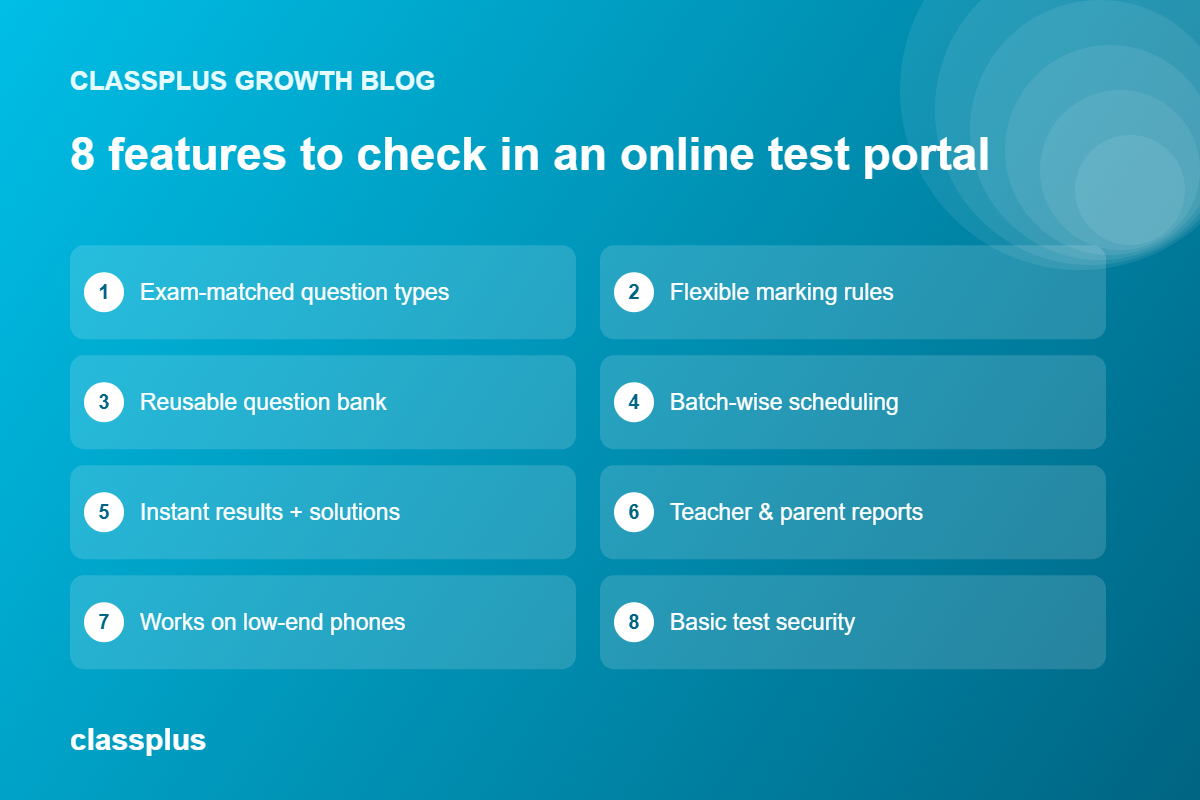
Most portals show you a long feature list. At your size, these are the features that make a real difference day to day.
1. Question types that match your students’ exam
Check that the portal supports the formats your students will face: single-correct MCQs, multiple-correct questions, numerical answers, assertion-reason, match-the-following and, if you teach school or board batches, subjective answers that a teacher checks. Also make sure it can handle images, diagrams and maths or chemistry notation, because Physics, Chemistry and Maths questions often need them.
2. Flexible marking rules
Indian competitive exams use different marking schemes. NEET, for example, awards +4 for a correct answer and deducts 1 for a wrong one. The portal should let you set positive marks, negative marks and no-penalty sections for each test, and ideally for each section or question type.
3. A reusable question bank
Typing every question from scratch for every test is what kills most online test plans within a few months. Look for a portal where you can save questions by subject, chapter, topic and difficulty, and reuse them across tests. Bulk upload from Word or Excel saves hours when you are moving your existing papers in. Our guide on building a question bank for your test series explains how to organise it.
4. Batch-wise scheduling and timers
You should be able to assign a test to one batch or several, set a start and end window, set the duration, and decide whether students can reattempt. If your morning and evening batches take the same paper at different times, the portal should handle that without you copying the test.
5. Instant results with solutions
Students learn most in the hour after a test. The portal should show their score, the correct answers and a short solution for each question as soon as results are released. You should also be able to hold back results until everyone has finished, so answers do not get shared.
6. Reports for teachers, students and parents
Useful reports go beyond total marks. Look for chapter-wise accuracy, time spent per question, rank within the batch and progress over several tests. For what to do with this data, see our guide to test result analysis for coaching institutes.
7. Works well on low-end phones and patchy internet
Many of your students will take tests on a basic Android phone, often on mobile data. Ask whether the test loads quickly, whether answers are saved if the connection drops, and whether students can resume where they left off. A portal that only works smoothly on a laptop will frustrate a large share of your students.
8. Basic test security
You do not need exam-hall-level proctoring for a weekly chapter test. Shuffled question and option order, timed windows and results held until the test closes are enough for most small institutes. For high-stakes tests such as scholarship exams, you may want stricter controls. Our article on how to monitor online exams to avoid cheating covers your options.
Standalone test portal or a teaching app with tests built in?
This is the main decision for most small institutes. Here is how the two compare in practice.
| Factor | Standalone test portal | Teaching app with built-in tests |
|---|---|---|
| Student experience | Separate login for tests, separate app or site for classes | One app for classes, notes, tests and results |
| Cost | Extra subscription on top of your other tools | Usually part of one subscription |
| Depth of exam features | Often deeper for very specialised exam patterns | Covers most coaching needs; check advanced patterns in a demo |
| Data in one place | Test data separate from attendance and fees | Tests, attendance, fees and progress together |
| Admin effort | Two systems to update when a student joins or leaves | One student list to manage |
| Selling tests | May need separate payment setup | Can sell a test series alongside courses |
If tests are your entire product, for example a national-level mock test series with thousands of students, a specialised exam engine may be worth it. If tests are one part of how you teach your batches, a teaching app with good built-in tests is usually simpler and cheaper.
What should a small institute budget for an online test portal?
Pricing varies widely, so compare on the same basis. Most providers charge in one of these ways:
- A flat yearly or monthly subscription
- A price per student or per active learner
- A price per test attempt or per test series
- Setup fees for branding, a custom app or data migration
To compare fairly, work out the total yearly cost for your actual student numbers, including any setup fee and GST. Then compare that with what you spend today on printing, OMR sheets and teacher hours for checking. Ask what happens to the price when you grow from 150 to 400 students, so you are not surprised next year.
Questions to ask before you choose an online test portal
Take this list into every demo. Ask the vendor to show you each point on screen, not just say yes.
- Can you create a test in front of me with an image-based question, a numerical answer and negative marking?
- How do I bulk-upload my existing question papers, and in what format?
- Can I assign one test to two batches with different time windows?
- What does the student see after submitting, and can I delay results?
- Show me a chapter-wise report for a whole batch and for one student.
- What happens if a student’s internet drops halfway through the test?
- Can parents see results, and how are they notified?
- Can I sell a test series to students outside my batches?
- Who owns the question bank and student data if I stop using the service?
- What support do I get in the first month, and in which languages?
How to roll out online tests in your first 30 days
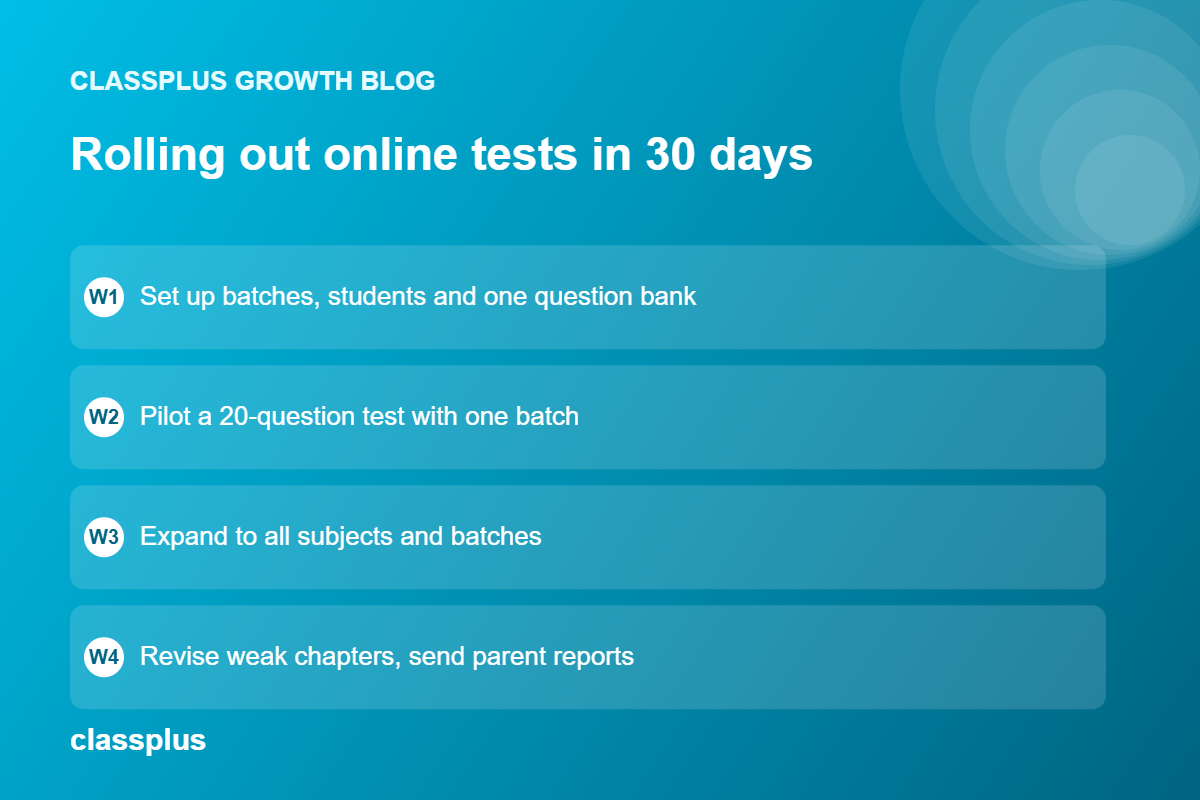
Do not move everything online at once. A phased plan keeps teachers and students on board.
Week 1: Set up. Create batches, add students and upload one subject’s question bank. Pick one teacher who is comfortable with technology to lead the pilot.
Week 2: Pilot one batch. Run a short 20-question chapter test for a single batch. Ask students what was confusing and fix it before going wider.
Week 3: Expand. Add the remaining subjects and batches. Run your regular weekly test online alongside the offline paper if parents are hesitant.
Week 4: Use the data. Hold a short revision class based on the chapters where the batch scored lowest. Send the first progress report to parents. This is when teachers and parents see the value.
Once weekly tests are running smoothly, you can look at bigger uses, such as an online scholarship test to bring in new admissions or a paid test series for students outside your institute. Our guide on how to sell a test series online walks through that step.
Common mistakes to avoid
- Choosing on price alone. A cheap portal that students find hard to use will be abandoned within a term.
- Skipping the question bank. Without a tagged question bank, every test means starting from zero, and your reports cannot show chapter-wise weak areas.
- Testing too rarely. Moving one monthly test online gives you little data. Short weekly tests give you a clear picture.
- Ignoring the phone experience. Always take a sample test yourself on a basic Android phone before you sign up.
- Not looking at the reports. The portal saves checking time, but the real gain comes from changing what you teach based on results.
How Classplus fits small coaching institutes
Classplus gives coaching institutes and educators their own branded teaching app, with online tests and test series, test performance tracking, live classes, recorded courses, study material, fee payments and batch management in one place. For a small institute, that means students open one app with your name on it for classes, practice and results, and you manage one student list instead of several tools.
Whichever portal you are considering, take a real test from your own syllabus into the demo and check that the question types, marking rules and reports work the way your batches need.
Want to see how your weekly tests would run in your own branded app? Book a free Classplus demo and bring one of your question papers along.
Frequently asked questions
What is the best online test portal for a small coaching institute?
The best portal is the one that supports your students’ exam pattern, works smoothly on basic phones and keeps tests in the same place as your classes and student records. For most small institutes, a teaching app with built-in tests is simpler and cheaper than a separate exam platform.
Can I conduct online tests with negative marking?
Yes. Most coaching-focused test portals let you set positive and negative marks for each test. Check that you can also set different rules by section or question type, since exams such as JEE Advanced use partial marking for multiple-correct questions.
Do students need a laptop to take online tests?
No. A good portal works on an Android phone. Still, if your students are preparing for a computer-based exam such as JEE Main, encourage them to take full-length mocks on a computer when they can.
How many tests should a coaching institute conduct online each month?
Many institutes run one short chapter test a week and one longer cumulative or full-length test a month. Short frequent tests give you better data on weak areas than one big test.
Can I sell my test series online to students outside my institute?
Yes. If your portal or teaching app supports online payments, you can sell a test series as a separate product to students in other cities. This is a common way for small institutes to add revenue without new classrooms.
Is an online test portal safe from cheating?
No online test is fully cheat-proof, but shuffled questions, timed windows and results held until the test closes reduce copying for regular tests. For scholarship or selection tests, add stricter controls or hold them at your centre.