Many private schools in India bought a school ERP a few years ago and now find that only the office uses it. The accounts team logs fees, the admin team prints report cards, and teachers still run their classes on WhatsApp groups, paper registers and printed worksheets. So the question comes up in management meetings: should we replace the ERP with a simpler classroom management app that teachers will actually use?
The honest answer is that it depends on what your ERP does today and what problem you are trying to solve. This guide explains the difference between the two types of software, when replacing an ERP makes sense, when it does not, and how to choose and roll out a classroom management app without disrupting the school year.
What is the difference between a school ERP and a classroom management app?
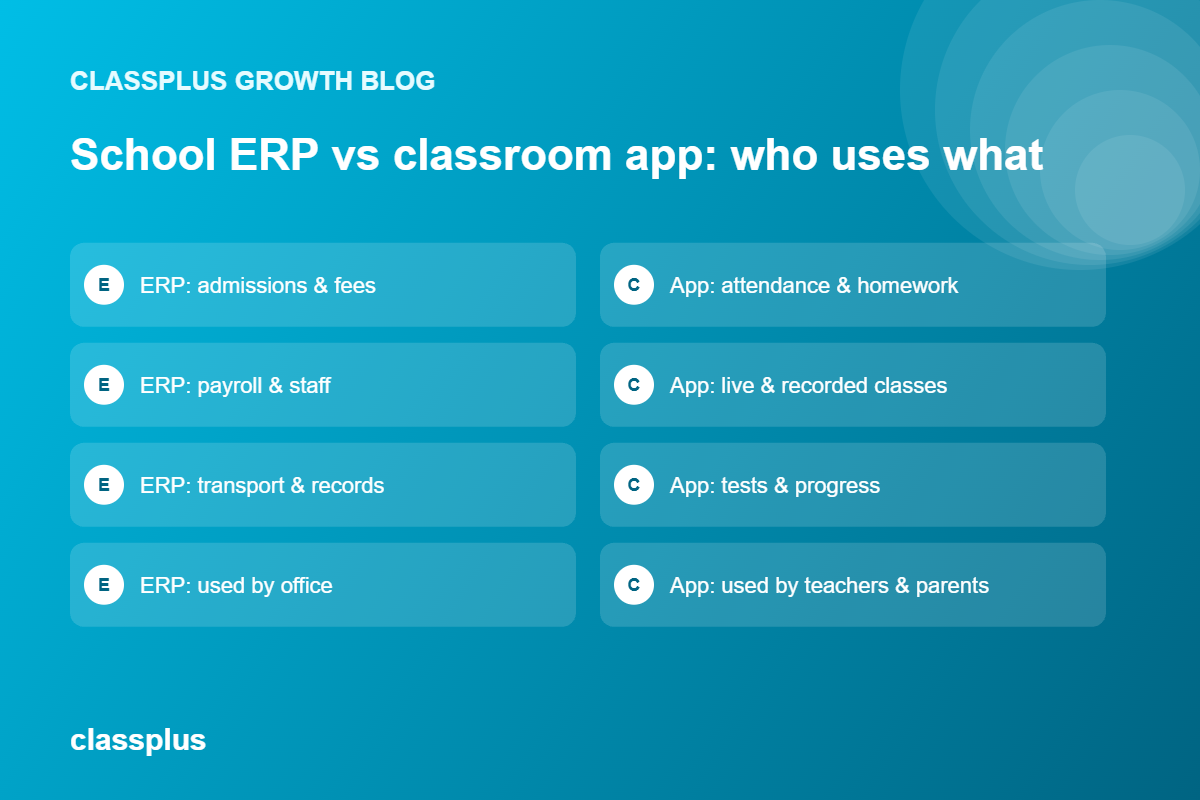
A school ERP (enterprise resource planning system) is built to run the school as an organisation. It typically covers admissions, fee collection, staff records, payroll, transport, library, inventory, timetables and report cards. Its main users are the principal’s office, accounts and administration.
A classroom management app is built for teaching and learning. It covers what happens between a teacher and a class: attendance, homework, study material, live and recorded lessons, quizzes and tests, doubt clearing and updates to parents. Its main users are teachers, students and parents.
| Area | School ERP | Classroom management app |
|---|---|---|
| Main users | Office, accounts, management | Teachers, students, parents |
| Core jobs | Admissions, fees, payroll, HR, transport, records | Attendance, homework, lessons, tests, communication |
| Usage pattern | A few staff, daily on desktop | Every teacher and student, daily on phones |
| Typical setup | Longer, data migration heavy | Faster, starts with classes and students |
| What it is judged on | Accurate records and reports | Whether teachers and students actually use it |
The overlap is smaller than it looks. Both may record attendance and both may send notices, but an ERP rarely makes teaching easier, and a classroom app rarely handles payroll or transport.
Why are private schools looking to replace their ERP?
When school leaders say they want to move away from their ERP, the reasons are usually practical:
- Teachers don’t use it. The ERP was set up for administration, and the teacher module is slow or hard to use on a phone.
- They are paying for unused modules. A 600-student school may not need hostel, inventory or multi-branch modules that came bundled in the package.
- Parent communication is scattered. Notices go out through the ERP, class updates through WhatsApp, and homework through photos of the board. Parents miss things.
- Blended learning is an afterthought. Since 2020, most schools share recordings, worksheets and online tests. Many older ERPs were never designed for this.
- Support and updates have slowed. Some schools are stuck on old versions or vendors that are hard to reach.
If most of these sound familiar, the real problem is usually not “we need a new ERP”. It is “we have no good tool for teaching and parent communication”.
Should a private school replace its ERP or add a classroom management app?
Use this simple test.
Replacing the ERP can make sense if:
- The school is small (often under 500 to 800 students) and fee collection, admissions and records are simple enough to manage with a lighter tool plus your accounting software.
- The ERP is mostly used for attendance, notices and report cards, which a good classroom app can also handle.
- The ERP contract is ending and the yearly cost is hard to justify.
Keep the ERP and add a classroom app if:
- You rely on the ERP for fee ledgers, payroll, transport routes or board-related records.
- Your accounts team and auditors depend on its reports.
- You run multiple branches or have a large student base where switching records mid-year is risky.
For most mid-sized private schools, the safer path is to keep the ERP for administration and add a classroom management app for teaching. If the classroom app ends up covering everything you actually used the ERP for, you can drop the ERP at renewal time with real usage data to back the decision.
What features should a classroom management app have for Indian schools?
Indian private schools have specific needs: large class sizes, a mix of parents who are comfortable with technology and those who are not, and CBSE, ICSE or state board schedules. Look for these features.
1. Quick attendance by class and period
Teachers should be able to mark attendance in under a minute on a phone, with automatic alerts to parents for absence if the school wants them.
2. Homework and study material
Teachers should be able to share worksheets, PDFs, videos and notes with a class, set due dates and see who has submitted. This replaces photos of the blackboard sent on WhatsApp.
3. Live and recorded classes
For remedial classes, revision before board exams, days when schools close for weather or pollution, or students who are absent, teachers should be able to run a live class and keep the recording for later viewing. Our guide to the best live class app for teachers covers what to look for here.
4. Quizzes, tests and progress tracking
Periodic tests, unit tests and practice quizzes should be quick to create, with automatic marking for objective questions and clear reports for teachers. For what to do with test data, see our guide to test result analysis.
5. Parent communication in one place
Notices, class updates, attendance and test results should reach parents through one app, ideally with support for Hindi or regional languages. Parents should not have to join five WhatsApp groups to follow one child. For ideas on keeping parents informed, read our guide on parent communication.
6. Role-based access
Principals, coordinators, class teachers, subject teachers, students and parents should each see only what they need. This matters for both privacy and ease of use.
7. Works on basic phones
Many parents and students will use a shared Android phone. Test the app on a basic phone before you decide.
8. Data export and integration
Whatever you choose, you should be able to export student lists, attendance and marks. If you keep your ERP, check whether the two systems can share data or at least import and export in common formats such as Excel.
How should schools think about student data and privacy?
Schools hold personal data about children, which makes data protection more important, not less. The Digital Personal Data Protection Rules, 2025, notified in November 2025, are being phased in, with most obligations for organisations coming into force by May 2027. The rules include specific provisions on children’s data and on educational institutions.
Before choosing any app, ask the vendor where data is stored, who can access it, how parents can request corrections or deletion, and how the vendor will support your compliance as the rules come into force. For school-specific obligations, take advice from your legal or compliance advisor rather than relying on a vendor’s sales pitch.
How to choose: questions to ask every vendor
- Can a teacher mark attendance, share homework and start a live class from a phone in front of me?
- What does a parent see, and in which languages?
- Can we set up classes, sections and subject teachers for our structure, including streams in Classes 11 and 12?
- How do tests and report cards work, and can marks be exported?
- Can the app run alongside our ERP, and how is data moved between them?
- How is student data protected, and what happens to it if we leave?
- What training and support do teachers get, and how fast does support respond?
- What is the total yearly cost for our student strength, including setup and GST?
How to roll out a classroom management app in a school
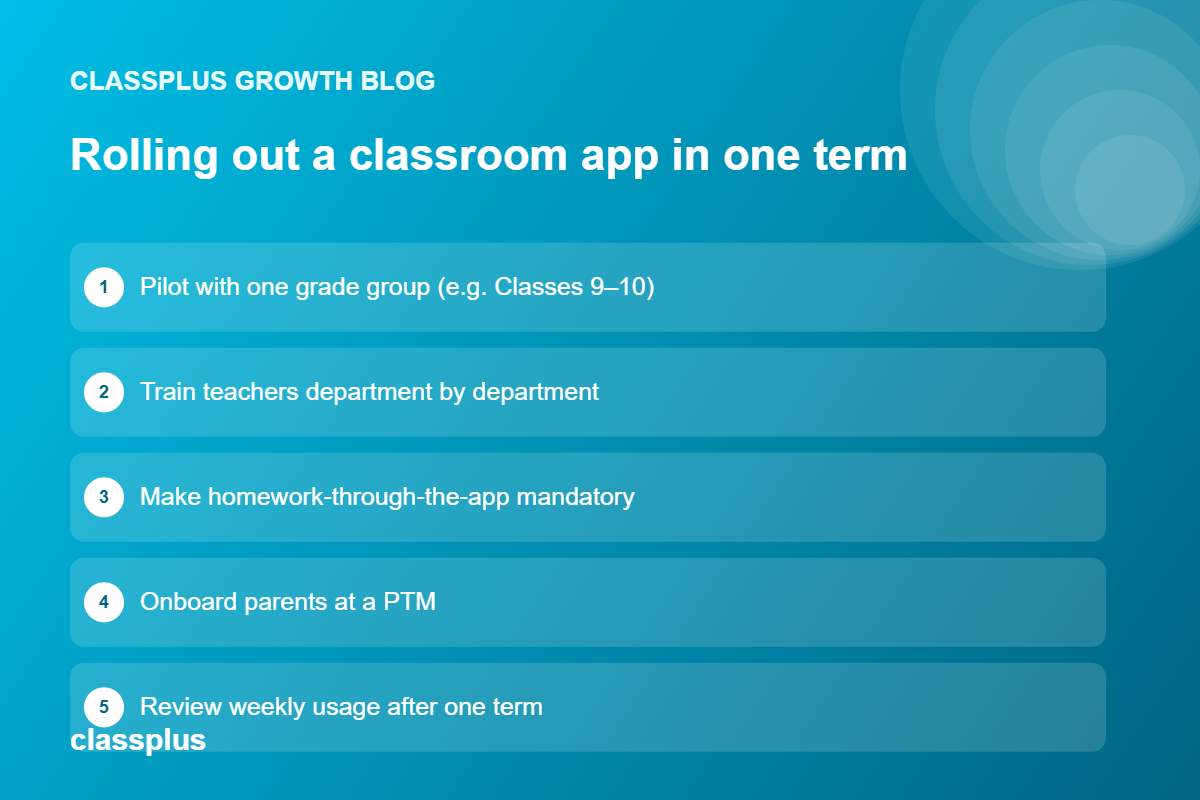
The biggest risk is not the software. It is teachers going back to old habits within a month. A phased rollout helps.
Start with one grade group. For example, Classes 9 and 10, where homework, tests and board-exam revision make the benefits obvious.
Train teachers in small groups. A one-hour session per department, followed by a WhatsApp help group for the first two weeks, works better than one large training day.
Make one thing mandatory. For example, all homework goes through the app from a fixed date. One clear rule changes habits faster than ten optional features.
Onboard parents at a PTM. Help parents install and log in during a parent-teacher meeting, rather than sending a link and hoping.
Review after one term. Look at how many teachers and parents use the app weekly, and decide whether to expand, adjust or reconsider your ERP renewal.
Where Classplus fits
Classplus is built for coaching institutes and independent educators rather than as a school ERP, so it is not a replacement for admissions, payroll or transport modules. Where it can help schools is with academic programmes that run like coaching: for example, foundation courses, JEE and NEET integrated batches, Olympiad preparation, or revision programmes offered to students and outside learners. For these, Classplus gives you a branded teaching app with live and recorded classes, online tests and test series, study material, performance tracking, batch management and online fee payments.
If your school is planning to launch or grow programmes like these, talk to Classplus about running them in your own branded app.
Frequently asked questions
Can a classroom management app replace a school ERP?
Sometimes. For a small school that mainly used its ERP for attendance, notices and report cards, a classroom management app plus accounting software may be enough. Schools that rely on the ERP for fees, payroll, transport or official records usually keep it and add a classroom app for teaching.
What is the main difference between a school ERP and a classroom management app?
A school ERP runs the administration of the school, such as admissions, fees, staff and records. A classroom management app supports teaching and learning, such as attendance, homework, lessons, tests and parent updates.
Which features matter most in a classroom management app for Indian schools?
Quick attendance, homework and study material sharing, live and recorded classes, tests with automatic marking, parent communication in local languages, role-based access and smooth performance on basic Android phones.
How long does it take to roll out a classroom management app in a school?
A pilot with one grade group can start within a few weeks. A full rollout across the school usually works best over one term, with teacher training and parent onboarding at a PTM.
Do schools need parental consent to use a classroom app?
Schools should follow the Digital Personal Data Protection Act, 2023 and the DPDP Rules, 2025, which have specific provisions on children’s data and on educational institutions. Take advice from a legal or compliance advisor on what applies to your school, and check how the vendor supports consent and data requests.
Is Classplus a school ERP?
No. Classplus is a teaching platform for coaching institutes and educators. Schools can use it for coaching-style programmes such as foundation courses, competitive-exam batches or revision programmes, alongside their existing administration software.