You’ve asked two developers for a quote on your coaching app. One said a few lakhs. The other sent a proposal several times bigger. Both promised “live classes, tests and payments”. So which number is real?
Both can be, because they are quoting different apps. This guide explains what drives coaching app development cost in India, what published industry estimates say, the yearly costs that quotes often leave out, and how to decide whether to build a custom app or launch on a ready-made platform.
How Much Does a Coaching App Cost in India? The Short Answer
There is no single price, but published estimates give a useful range:
- A guide on e-learning apps for coaching institutes puts a basic app (login, courses, simple tests, basic admin panel) at $8,000–$12,000, a standard app with live and recorded classes, test analytics and payments at $12,000–$25,000, and an advanced platform at $30,000–$70,000+.
- An Indian development firm, Zartek, says a tightly scoped MVP with 3–5 core features on a single platform can cost ₹3–5 lakh, with each extra integration (such as payments or WhatsApp) adding ₹50,000–₹2 lakh.
Most coaching institutes need what these guides call a “standard” app: live classes, recorded lectures, tests, payments and an admin panel. That is far from the cheapest tier.
Why Coaching App Quotes Vary So Much
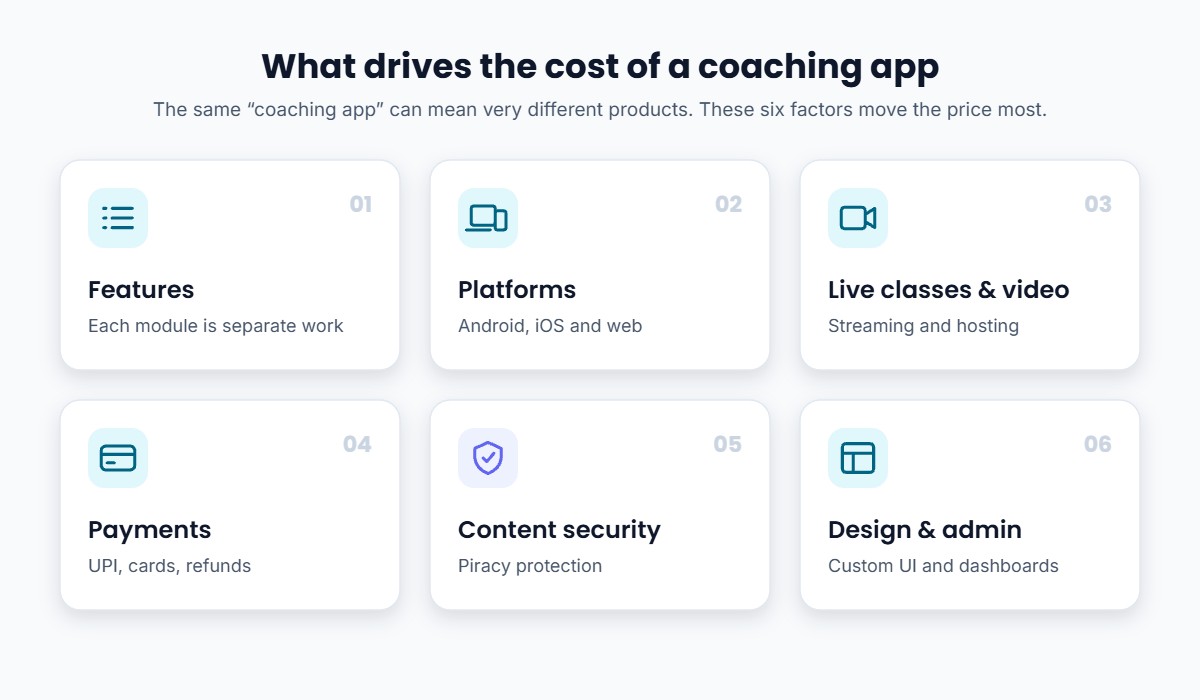
Two quotes rarely describe the same product. These are the factors that move the price most.
1. Features
Every feature is a separate piece of work: student login, course library, live classes, recorded video, test engine, results and analytics, doubt solving, notifications, fee payments and an admin dashboard. A “simple app” with just videos and PDFs costs far less than a full live class app with tests and analytics.
2. Platforms: Android, iOS and Web
Most Indian students use Android, but parents and some students expect iOS and a web version too. Building natively for each platform costs more. Zartek estimates that a cross-platform framework like Flutter covers both mobile platforms for roughly 30% extra rather than double.
3. Live Classes and Video
Live streaming and video hosting are usually handled through third-party services, which charge on an ongoing basis. Real-time features (live chat, notifications) can add 25–50% to server-side cost, according to Zartek.
4. Payments
Collecting fees inside the app means integrating a payment gateway, handling UPI, cards and refunds, and reconciling payments with student access.
5. Content Security
Coaching content is valuable, so you will want screen-recording protection, watermarking and secure video delivery. These are specialised features and are often priced separately. (More on this in our guide to protecting course videos from piracy.)
6. Design and Admin Tools
Custom design, animations and a detailed admin panel for faculty, batches and reports all add time. Zartek says custom design work can add 20–40% to the design budget.
Typical Cost and Timeline by App Type
| App type | What it usually includes | Published cost estimate | Typical timeline |
|---|---|---|---|
| Basic / MVP | Login, courses, basic tests, simple admin | $8,000–$12,000 (Purshology); ₹3–5 lakh for a tight MVP (Zartek) | 6–8 weeks |
| Standard | Live + recorded classes, tests with analytics, payments, admin controls | $12,000–$25,000 | 8–12 weeks |
| Advanced | Multi-role access, advanced analytics, AI features, high concurrency | $30,000–$70,000+ | 12–20+ weeks |
Cost ranges and timelines are from the Purshology guide unless noted. Actual quotes depend on the agency, scope and city.
The Yearly Costs Most Quotes Leave Out
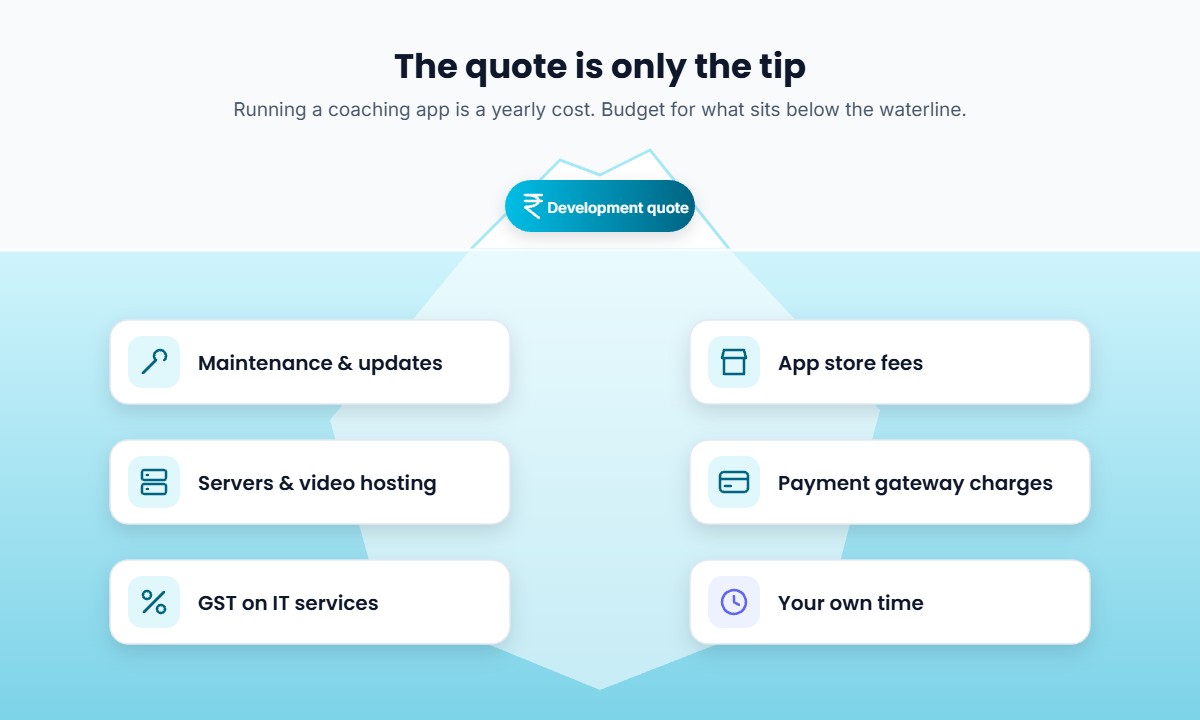
The development quote is a one-time number. Running the app is a yearly one. Budget for these before you sign:
- Maintenance and updates. Zartek advises planning 15–20% of the original development budget every year. Android and iOS release new requirements regularly, and apps that don’t keep up can be blocked from updating on the stores.
- App store accounts. Apple’s developer program costs $99 per year; Google Play charges a one-time $25 registration fee.
- Store commissions. If you sell digital content through Google Play or Apple billing, the stores take a commission. Check each store’s current policy before deciding how you will collect payments.
- Servers, video hosting and streaming. These grow with your number of students and hours of video.
- Payment gateway charges. Every transaction typically carries a gateway fee.
- GST. IT services in India attract 18% GST, according to eCorpIT, so check whether your quote includes it.
- Your own time. Testing builds, writing feedback and chasing bug fixes takes hours away from teaching.
A useful rule of thumb from Zartek: add 25–30% on top of the quoted development cost to cover store fees, first-year maintenance and a basic launch push.
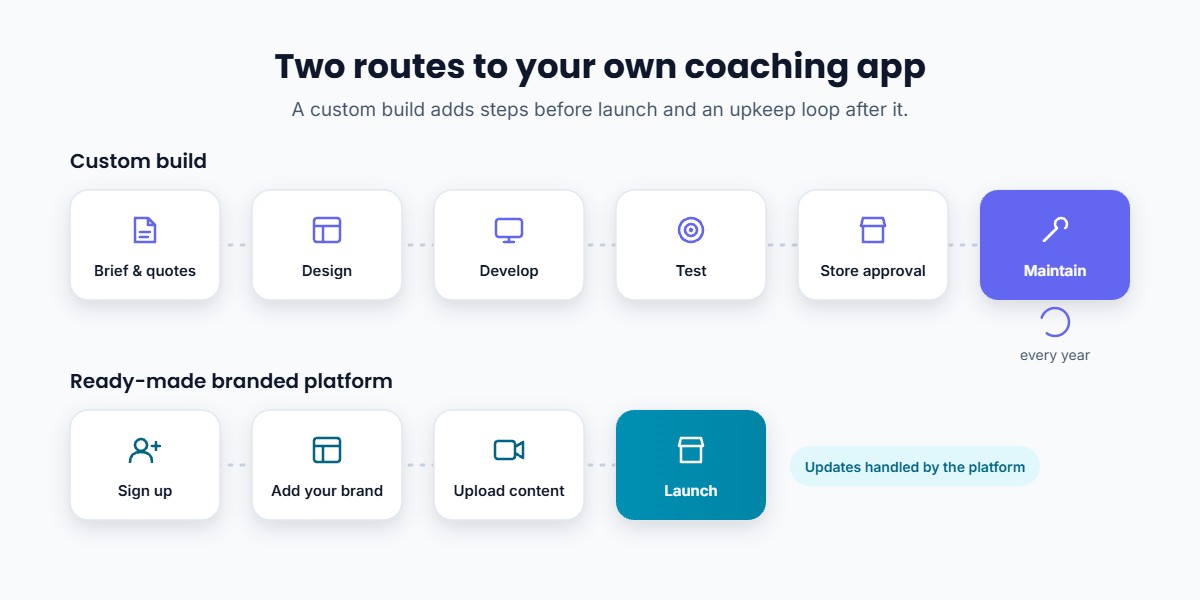
Build a Custom App or Use a Ready-Made Platform?
You have three realistic routes.
| Custom app (agency) | Freelancer / template app | Ready-made branded platform | |
|---|---|---|---|
| Upfront cost | Highest | Lower | Subscription |
| Time to launch | Weeks to months | Weeks, varies | Usually much faster |
| Live classes, tests, payments | Built to order | Often partial | Included |
| Updates and maintenance | Paid separately | Uncertain | Handled by the platform |
| Content security | Extra scope | Often missing | Usually built in |
| Full design control | Yes | Limited | Within the platform’s options |
A custom build makes sense when you have a large student base, a dedicated tech team, and genuinely unique features no platform offers.
A ready-made white-label platform makes sense when you want your own branded app quickly, without managing developers, and your needs are the standard ones: live and recorded classes, tests, notes, payments and student management.
How to Decide: 6 Questions to Ask Before You Spend
- What must the app do on day one? List must-have features and separate them from nice-to-haves.
- Who will maintain it after launch? If the answer is “the agency, for a fee”, get that fee in writing.
- Who owns the code, the app store accounts and the student data? Make sure it is you.
- How will students pay? UPI, cards, instalments, and whether fees go through the app stores.
- How fast do you need it? If your next admission season starts in six weeks, a long build may miss it.
- What is the total three-year cost? Compare development + maintenance + hosting against a platform subscription over the same period.
Common Mistakes Coaching Owners Make
- Comparing quotes line by line without matching the scope. A cheaper quote often leaves out live classes, security or the admin panel.
- Budgeting only for the build. The yearly costs above are where many apps stall.
- Skipping content security. Recorded lectures and test series are easy to copy if the app isn’t protected.
- Building the app before the website. Students and parents often search for you first. A website for your coaching institute and the app should work together.
- Over-building version one. Launch with the core features, learn what students use, then expand.
How Classplus Can Help
If your goal is a professional app under your own name rather than a software project, Classplus gives you an own branded app with your institute’s name and logo, plus a website, without hiring developers.
Inside one platform you can run live classes, upload recorded courses, sell courses and test series, accept online payments, manage students and batches, share assignments and study material, track test performance and send notifications. Updates and content security are handled by the platform, so your time goes into teaching and admissions rather than bug reports.
Want your own coaching app without a development project? See how educators across India launch branded apps with live classes, courses and payments built in. Explore Classplus →
Conclusion
A coaching app can cost a few lakh rupees or many times that, depending on features, platforms and who maintains it. The development quote is only the start: plan for maintenance, hosting, store fees, payment charges and GST every year.
If you need unique features and have a tech team, a custom build can be worth it. If you need a reliable branded app with the standard coaching features, a ready-made platform is usually faster and easier to budget. Whichever you choose, compare the total cost over three years, not just the first invoice. When you’re ready, here’s how to launch your teaching app successfully.
Related guide: For a step-by-step overview, read our complete guide on how to choose a teaching app. Before you decide, read the 10 choices to get right for your own branded teaching app and whether a small coaching institute should adopt a teaching app.
Frequently Asked Questions
How much does it cost to make a coaching app in India?
Published estimates range from about ₹3–5 lakh for a tightly scoped MVP to $12,000–$25,000 for a standard coaching app with live classes, tests and payments, and more for advanced platforms. Your quote depends on features, platforms and the agency.
How long does it take to build a coaching app?
Roughly 6–8 weeks for a basic app, 8–12 weeks for a standard coaching app and 12–20+ weeks for an advanced platform, according to published industry guides. Testing and app store approval add extra time.
What are the yearly costs of running a coaching app?
Maintenance (often estimated at 15–20% of the build cost per year), servers and video hosting, payment gateway charges, Apple’s $99 yearly developer fee, and any app store commissions on in-app sales.
Is it cheaper to use a ready-made coaching app platform?
For most small and mid-size institutes, yes, especially once maintenance and hosting are included. A platform replaces the upfront build and ongoing upkeep with a predictable subscription.
Can I get an app with my own institute’s name and logo without coding?
Yes. White-label platforms such as Classplus give you a branded app and website under your institute’s name without any coding.
Should my coaching app be on Android or iOS first?
Most Indian students use Android, so many institutes start there. If parents or premium students use iPhones, plan for iOS and a web version too.