A parent hears about your coaching classes from a neighbour. What is the first thing they do? They search your institute’s name on Google.
If they find a clean website with your courses, faculty, results and a way to enquire, you have already won half the trust. If they find nothing, or only a two-year-old directory listing, they move on to the next name on their list.
That is why a website for your coaching institute is no longer a “nice to have”. It is your digital front office, and often the first step when you take your coaching institute online. This guide walks you through what your website needs, the three ways to build one, how to think about cost, and the mistakes that quietly kill admissions.
Why Your Coaching Institute Needs a Website (Even If You Already Have Instagram)
Instagram, YouTube and WhatsApp are great for reach. But you do not own them. Algorithms change, accounts get restricted, and your content is mixed with a hundred other coaching pages.
A website gives you things social media cannot:
- A place that shows up when people search your name. Parents and students verify before they pay.
- Credibility. A proper domain like yourinstitute.com signals that you are an established business, not a side project.
- One link for everything. Courses, fees, timetable, demo-class form and payment link, all in one place you can share on WhatsApp.
- A 24/7 admission counter. Students can enquire, book a demo or pay fees at 11 pm, when your office is closed.
- Local search visibility. Searches like “NEET coaching in Kota” or “maths tuition near me” favour businesses with a real website linked to their Google Business Profile.
What Should a Coaching Institute Website Include?
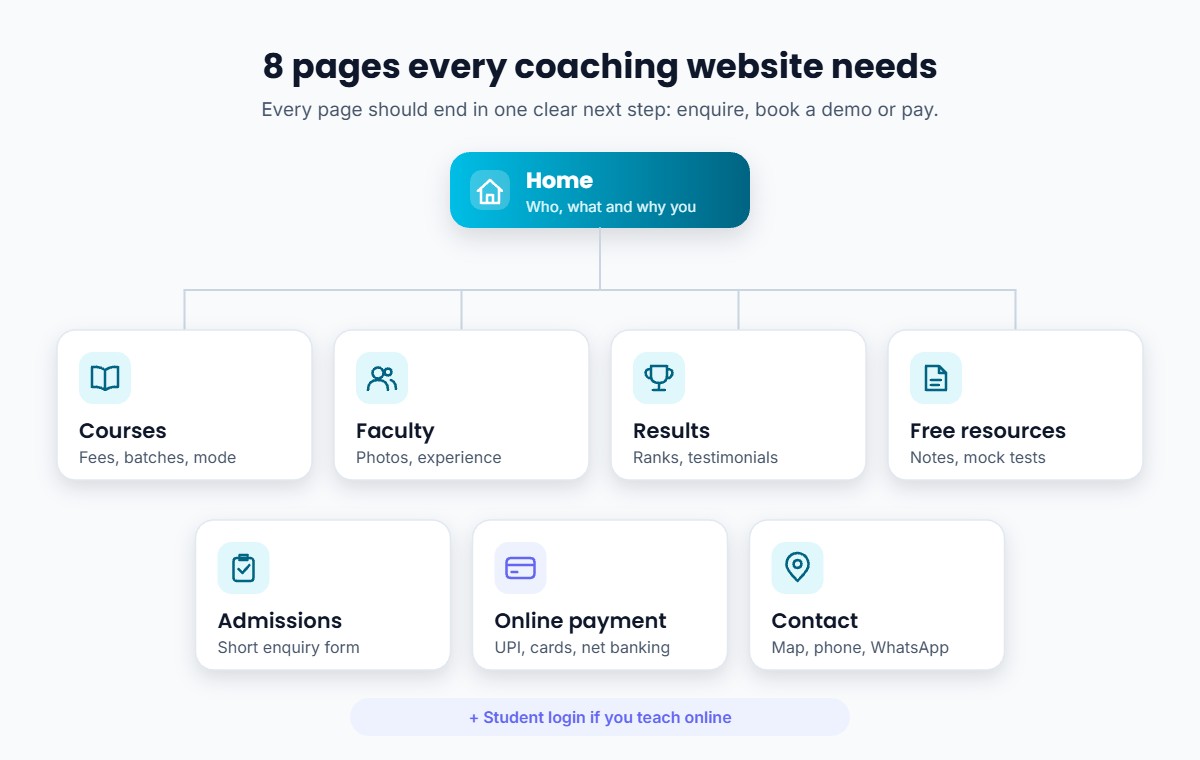
You do not need 30 pages. You need the right 6 to 8. Here is the checklist we recommend:
- Home page: who you teach, what you teach, and why you. One clear button: “Book a free demo class” or “Enquire now”.
- Courses / batches page: each course with exam, class, duration, mode (online, offline or hybrid), batch timing and fees. Hidden fees create distrust.
- Faculty page: photos, qualifications and teaching experience. In coaching, students choose teachers, not buildings.
- Results and testimonials: real student names, ranks or marks, shared with permission. Video testimonials work even better.
- Free resources: sample notes, previous-year papers or a free mock test. This brings people back and builds trust before they pay.
- Admissions / enquiry page: a short form (name, phone, class, course). Ask for less and you will get more enquiries. Then follow up fast and convert demo classes into admissions.
- Online payment: UPI, cards and net banking so students can pay without visiting the centre. Good coaching fee management makes this painless.
- Contact page: address with Google Maps, phone, WhatsApp button and centre timings.
Add a student login if you teach online, so enrolled students can access classes, recordings and study material from the same place.
3 Ways to Build a Website for Your Coaching Institute
Option 1: Do It Yourself With a General Website Builder
Tools like WordPress, Wix or Google Sites let you build a site with templates.
- Good for: a basic information site on a tight budget.
- Watch out for: these builders are made for every kind of business, not education. Selling courses, running live classes, managing students or giving them a login usually needs extra plugins, payment-gateway setup and technical upkeep. Many teachers start, get stuck at the payment step, and leave the site half-finished.
Option 2: Hire a Web Agency or Freelancer
An agency designs a custom site for you.
- Good for: large institutes that want a fully custom design and have a team to manage it.
- Watch out for: costs vary widely, and you often pay again for every change, from updating a batch timing to adding a new course. Ask clearly who owns the domain and hosting, and what yearly maintenance will cost. A beautiful site you cannot update yourself goes out of date very quickly.
Option 3: Use an Education Platform That Gives You a Website and App Together
Platforms built for educators, such as Classplus, give you a branded website along with your own branded app, so the website is not just a brochure. It is connected to your actual teaching.
- Good for: coaching institutes and educators who want to show their courses, sell them, collect payments and teach online without managing tech.
- What it looks like in practice: a student finds your website, browses courses, pays online, and immediately gets access to live classes, recorded lectures, tests and notes inside an app carrying your institute’s name and logo. You manage everything from one admin panel.
| DIY builder | Agency | Education platform | |
|---|---|---|---|
| Built for education | No | Depends | Yes |
| Course selling and payments | Needs plugins | Custom build | Built in |
| Student login, live and recorded classes | Extra tools | Custom build | Built in |
| Who updates content | You (technical) | Agency (paid) | You (no coding) |
| Branded app included | No | Separate project | Yes |
Step-by-Step: Launching Your Coaching Website
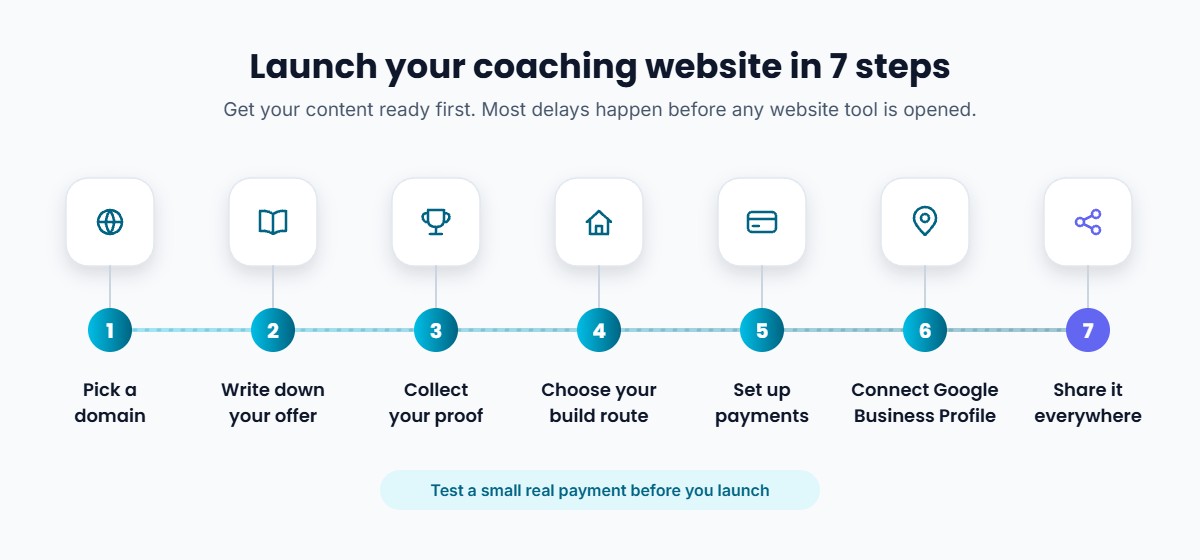
- Pick a domain name. Keep it short and close to your institute name. Avoid hyphens and numbers that are hard to say on a phone call.
- Write down your offer. List every course with fees, duration and mode before you open any website tool. Most delays happen because content is not ready.
- Collect your proof. Faculty photos, a few result screenshots and 3 to 5 student testimonials.
- Choose your build route from the three options above, based on whether you want just a web presence or a complete online teaching setup.
- Set up online payments and test a small real transaction before launch.
- Connect Google Business Profile and add your website link, so local searches find you.
- Share it everywhere: WhatsApp status, Instagram bio, YouTube description, fee receipts and the banner outside your centre.
SEO Basics So Students Actually Find Your Website
- Put your city and exam in page titles, for example “JEE Coaching in Jaipur | [Institute Name]”.
- Give each course its own page instead of one long list. “Class 10 Maths Tuition in Indore” can rank on its own.
- Publish useful free content such as exam tips, solved papers and preparation timetables. This is how students who don’t know your name yet find you. Our guide on SEO for online courses goes deeper.
- Make sure the site loads fast on mobile. Most of your students and parents will open it on a phone.
- Ask happy students and parents to leave Google reviews. Reviews help both local ranking and conversion.
Common Mistakes Coaching Institutes Make With Their Website
- No clear next step. Every page should lead to “Book demo”, “Enquire” or “Pay now”.
- Outdated batch information. A batch that started three months ago tells visitors the site is abandoned.
- Website and teaching are disconnected. The student pays on the website, then gets added to a WhatsApp group, then gets a Google Drive link, then a separate meeting link. Every extra step loses students and hurts your effort to increase admissions.
- Copying another institute’s content. It hurts SEO and trust. Your teaching style and results are your differentiator, so show them.
The Bigger Picture: Your Website Is Part of Your Brand
The strongest coaching brands today are not just a building or a YouTube channel. They are a complete experience: a student discovers you online, checks your website, joins a demo, pays, and learns inside your app, all under one name. That is what personal branding for teachers looks like in practice.
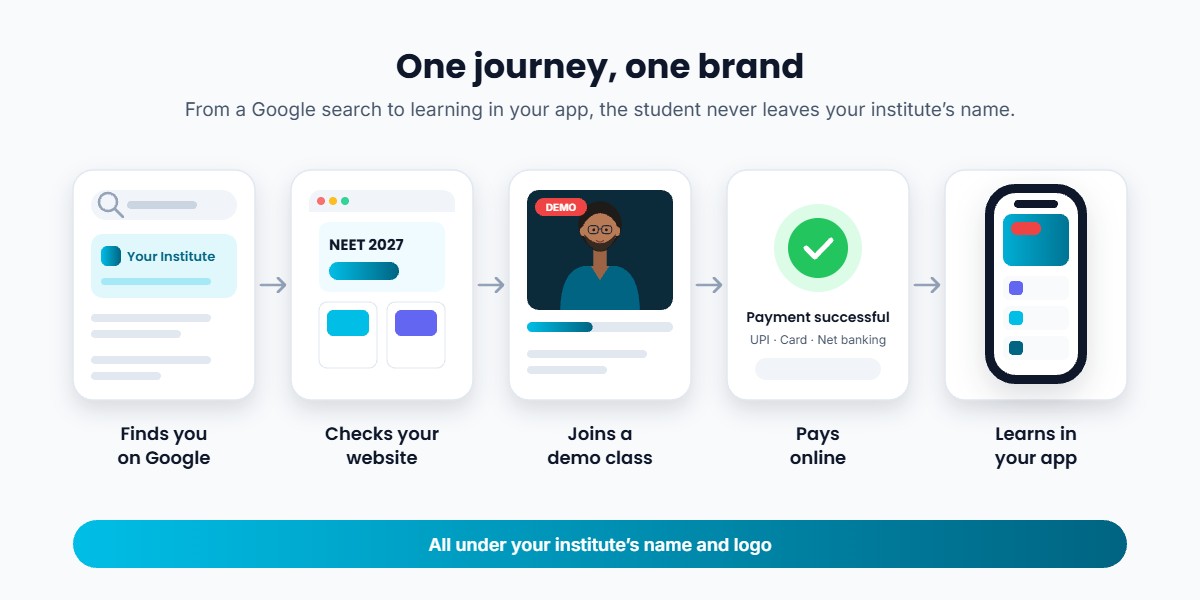
That is the idea behind Classplus. You get your own branded app and website, with live classes, recorded courses, online tests, assignments and study material, online payments, student management and notifications in one place. Your students see your brand at every step, and you spend your time teaching rather than managing five different tools.
Ready to give your coaching institute its own website and app? See how educators across India run admissions, payments and classes under their own brand. Explore Classplus →
Conclusion
Your website is often the first meeting between your institute and a future student. Keep it simple, honest and current: show your courses, your teachers and your results, and make it easy to enquire and pay.
If you only need an online visiting card, a basic builder will do. If you want your website to bring admissions, collect fees and connect directly to your online classes, choose a setup built for educators.
Frequently Asked Questions
Do I need a website if I already have a coaching app?
Yes, ideally both. People discover you on Google through your website and learn inside the app. Platforms like Classplus give you both under your brand, so they work together.
How much does a coaching institute website cost in India?
It depends on the route. A DIY builder costs the least but needs your time and technical effort. Agencies charge for design plus ongoing maintenance. Education platforms usually bundle the website with an app, payments and teaching tools in one plan. Compare the total yearly cost, not just the setup price.
Can I sell courses directly from my coaching website?
Yes, if the website supports online payments and course access. With an education platform, a student can pay on your website and get instant access to the course in your app.
Can I build a coaching website without coding?
Yes. Most modern builders and education platforms are no-code. You add your courses, photos and fees through a simple dashboard.
What is the most important page on a coaching institute website?
The courses page, closely followed by results and testimonials. Parents want to know exactly what you teach, what it costs and whether it works.
How do I get my coaching website to show on Google?
Add your city and exam keywords to page titles, create separate pages for each course, link the website to your Google Business Profile, collect Google reviews, and publish helpful free content regularly.
Build your coaching brand online. Your website, your app, your courses, all under your institute’s name. Get started with Classplus →