It’s 9:30 at night and your phone rings again. A parent wants to know how their son did in last week’s test, whether he’s attending regularly, and when the next instalment is due. You answer, because you care, but it’s the fifth call today.
The opposite problem is worse: parents who hear nothing until the report card, then decide to move their child to another institute.
Good parent communication in a coaching institute fixes both. It keeps parents confident and involved without eating up your evenings. This guide gives you a simple system: what to share, how often, on which channel, plus a progress report format, a PTM agenda and ready-to-use messages.
Why Parent Communication Matters in Coaching
- Parents decide whether a student continues. They pay the fees, and their confidence in you affects renewals.
- Early updates prevent bigger problems. A parent who hears about missed classes in week two can step in. One who hears in month three usually can’t.
- Trust drives referrals. Parents who feel informed recommend you to other parents.
- Fewer surprises, fewer disputes. Clear communication on fees, schedules and policies avoids most misunderstandings.
What Parents Actually Want to Know
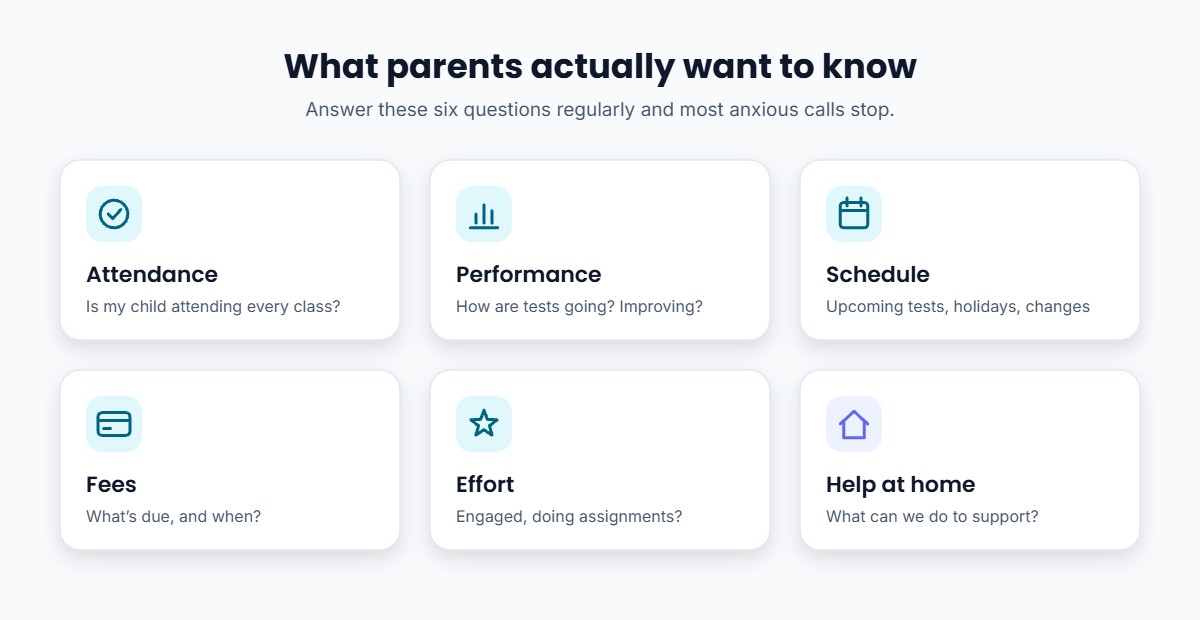
Most parent questions fall into six areas:
- Attendance: is my child attending every class?
- Performance: how are they doing in tests, and are they improving?
- Schedule: upcoming tests, holidays and timetable changes
- Fees: what’s due and when
- Effort and behaviour: are they engaged, completing assignments, asking doubts?
- How to help: what can we do at home?
If your communication answers these regularly, most anxious calls simply stop.
How to Build a Parent Communication System
Step 1: Decide What You’ll Share, and How Often
A predictable rhythm builds trust. Here’s a simple cadence most coaching institutes can manage:
| Update | When | Best channel |
|---|---|---|
| Absence alert | Same day the student misses class | App notification or SMS |
| Test result | After each test | App or WhatsApp |
| Schedule changes | As soon as they’re decided | App notification |
| Fee reminder | A few days before the due date | App, SMS or WhatsApp |
| Progress report | Monthly | App or PDF on WhatsApp |
| Parent-teacher meeting | Once a term, or after major exams | In person or video call |
Step 2: Pick One Main Channel
Parents get confused when updates come through five WhatsApp groups, SMS and phone calls. Choose one main channel for official updates, such as your institute’s app or a single broadcast list, and tell parents clearly that important information always comes through it. Use calls for conversations, not announcements. If you run several batches, send each update only to the parents of the batches it affects.
Step 3: Share a Simple Monthly Progress Report
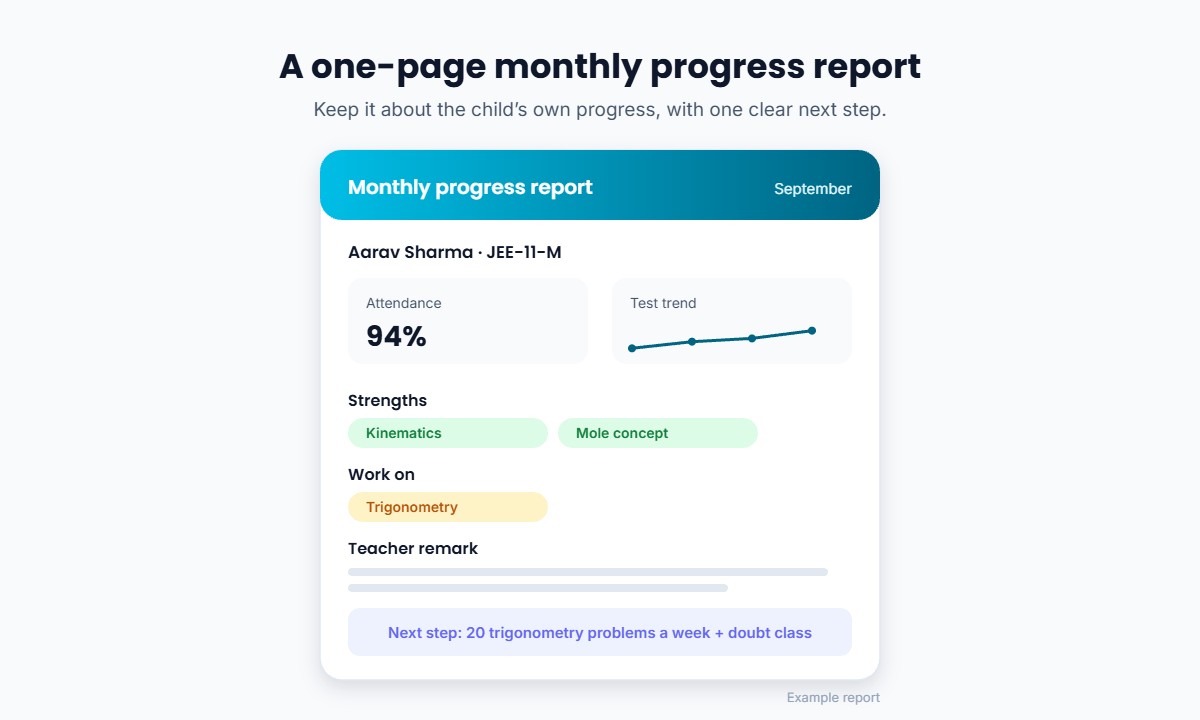
A one-page report is enough. Include:
- Attendance for the month
- Test scores, with the trend over the last few tests
- Strengths and topics to work on
- A short, specific teacher remark (these report card remarks can help)
- One clear next step for the coming month
Keep it about the child’s own progress. Avoid publishing other students’ marks or ranks without consent. For more on measuring progress fairly, see how to evaluate student progress better.
Step 4: Run Short, Useful Parent-Teacher Meetings
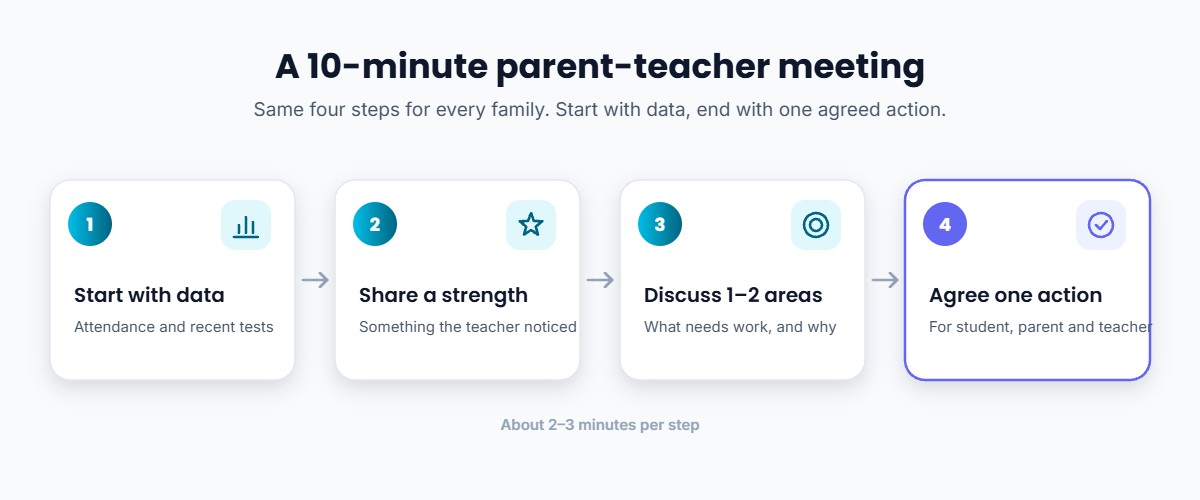
A good PTM is short and focused. A simple 10-minute agenda per family:
- Start with data: attendance and recent test results.
- Share one strength the teacher has noticed.
- Discuss one or two areas that need work.
- Agree on one action for the student, the parent and the teacher.
Book slots in advance to avoid long queues, and offer video calls for parents who can’t visit.
Step 5: Handle Difficult Conversations Early and Calmly
Low marks, irregular attendance and pending fees are uncomfortable to raise, but silence makes them worse.
- Raise concerns early, privately and with facts.
- Focus on what the student can do next, not on blame.
- For fee dues, be polite and clear, and offer a date or an instalment option if your policy allows.
Step 6: Set Healthy Boundaries
Share office hours for calls and a typical response time, for example “We reply to messages within one working day.” This protects your teachers’ time and still makes parents feel heard.
Ready-to-Use Parent Messages
Adapt these to your institute’s tone:
Absence alert
Dear Parent, [Student Name] was absent from today’s [Subject] class ([Batch]). Today’s notes and recording are available in the app. Please let us know if there’s anything we should be aware of. – [Institute Name]
Test result
Dear Parent, [Student Name] scored [score] in this week’s [Subject] test. Strong area: [topic]. To work on: [topic]. The detailed solution is in the app. – [Teacher Name], [Institute Name]
Fee reminder
Dear Parent, this is a friendly reminder that [Student Name]’s next instalment of [amount] is due on [date]. You can pay online here: [link]. Please ignore this if already paid. – [Institute Name]
Common Mistakes to Avoid
- Calling only with bad news. Share good news too: a score improvement or a great answer in class.
- Information overload. Daily long messages get ignored. Keep updates short and predictable.
- Comparing students publicly. Talk about the child’s own progress, not their rank against named classmates.
- Too many channels. Pick one official channel and stick to it.
- No record of conversations. Note key points and agreed actions after each call or meeting.
- Treating parents as only fee-payers. Involve them in their child’s progress, and they become your strongest supporters.
How Classplus Can Help
Classplus gives your institute its own branded app, so official updates come from one trusted place carrying your name. You can:
- Track attendance for every batch and spot absences early (more on online attendance)
- See test performance to share accurate, specific progress updates
- Send notifications for schedule changes, test reminders and announcements
- Collect fees online so payments and dues are clear for everyone (fee management tips)
- Share notes, recordings and assignments, so a missed class doesn’t mean missed learning
Give parents one place to see what’s happening. Your branded app for classes, tests, attendance, fees and notifications. See how Classplus works →
Conclusion
Parent communication works best as a system, not a string of phone calls. Decide what you’ll share and how often, use one main channel, send a simple monthly report, keep PTMs short and focused, and raise concerns early.
Do this consistently and you’ll see fewer anxious calls, better student retention and more parents happy to recommend you, which is exactly what a referral program needs.
Frequently Asked Questions
How often should a coaching institute update parents?
Send absence alerts the same day, test results after each test, and a short progress report every month. Hold a parent-teacher meeting once a term or after major exams.
What should be included in a student progress report for parents?
Attendance, recent test scores and their trend, strengths, topics to work on, a short teacher remark and one clear next step.
What is the best way to communicate with parents in coaching?
Use one official channel, such as your institute’s app or a single broadcast list, for all updates. Keep phone calls for conversations and sensitive topics.
How do I conduct a parent-teacher meeting in a coaching institute?
Book short slots, start with attendance and test data, share a strength, discuss one or two areas to improve, and agree on one action for the student, parent and teacher.
How do I tell parents about poor performance?
Raise it early and privately, share specific facts, focus on what the student can do next, and agree on a plan with the parent.
How can I reduce late-night calls from parents?
Share regular, predictable updates so parents don’t need to call. Publish office hours and a response time for messages.