Most teachers start with one format. Some go live on Google Meet or YouTube every evening. Others record lectures and sell them as a course. Sooner or later, almost everyone needs both.
Live classes give students a teacher to ask questions, a fixed routine and the push to show up. Recorded courses let students learn at their own pace, revise before exams and catch up on missed classes. Students increasingly expect both, often from the same teacher.
The trouble starts when live classes run on one tool, recordings sit on another, and payments and tests are somewhere else. This guide explains how to choose a teaching app for live classes and recorded courses, so both formats work together instead of against each other.
Why you need both live classes and recorded courses
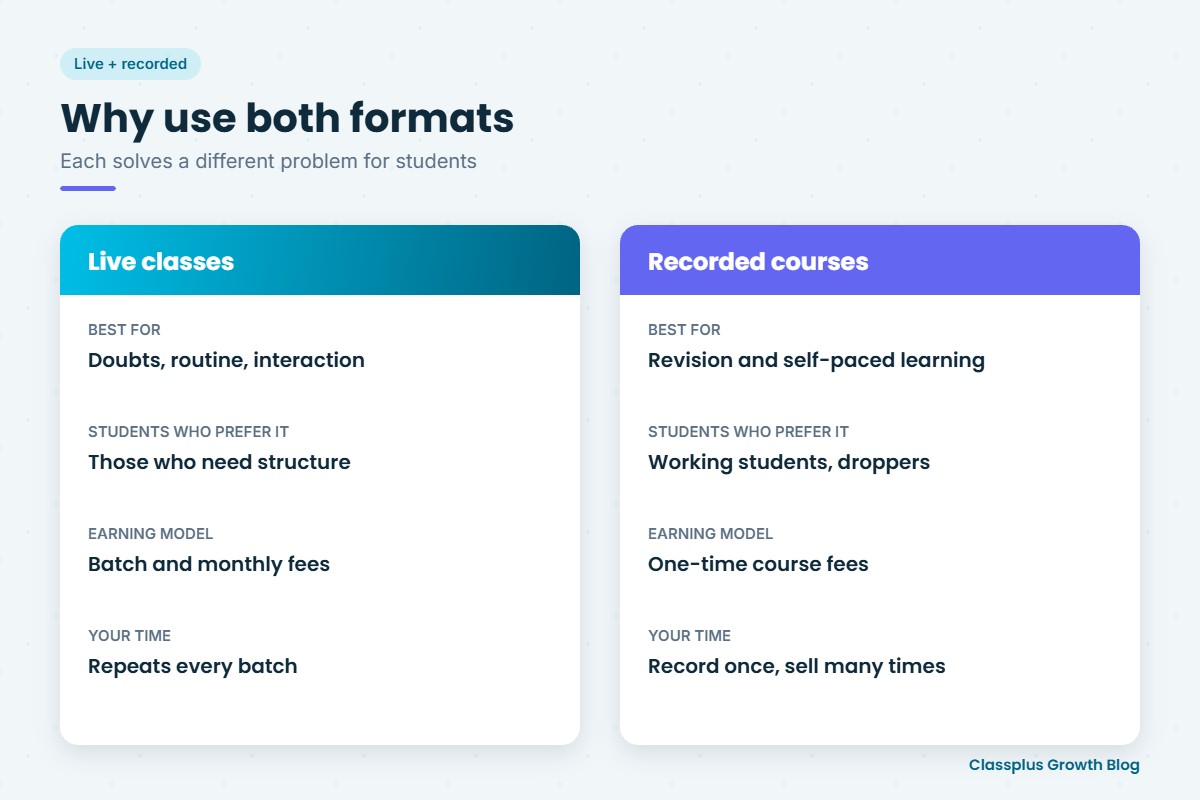
Each format solves a different problem.
| Live classes | Recorded courses | |
|---|---|---|
| Best for | Doubt-solving, discipline, routine, interaction | Revision, self-paced learning, missed classes |
| Students who prefer it | Those who need structure and a teacher to ask | Working students, droppers, those in other time zones or with tight schedules |
| Earning model | Batch fees, monthly fees | One-time course fees, lifetime or time-limited access |
| Your time | Repeats every batch | Record once, sell many times |
Used together, they make a strong model. For example, you can run a live batch, record each class, and later sell the recordings as a self-paced course for students who cannot attend live. Your effort in one batch keeps earning.
What to look for in live class features
Live classes are where most problems show up, because everything happens in real time.
- Works on mobile data. Many students join from phones on patchy networks. Ask whether the app adjusts video quality for low bandwidth.
- Interaction. Chat, polls and a way for students to raise doubts during class.
- Automatic recording. Each live class should be saved without you uploading it again. This is what connects live and recorded teaching.
- Batch-wise access. Only students in a batch should be able to join that batch’s class.
- Attendance. Joining a class should mark attendance automatically, or make it easy to record.
- Scheduling and reminders. A timetable students can see, with notifications before class starts.
If live classes are your main focus right now, our guide to choosing a live class app for teachers goes deeper.
What to look for in recorded course features
Recorded courses need a different set of features, focused on organisation and protection.
- Course structure. Organise videos by subject, chapter and topic, with notes and PDFs alongside.
- Content security. Look for protection against screen recording and easy downloading. No app can block every kind of copying, so ask exactly what is protected.
- Access control. Set how long students can access a course: lifetime, one year or until the exam.
- Progress tracking. Students and you should be able to see which lessons are complete.
- Tests inside the course. Chapter tests turn passive watching into active learning.
- Easy uploading and updates. You will keep adding and replacing videos, so this needs to be quick.
The features that connect both formats
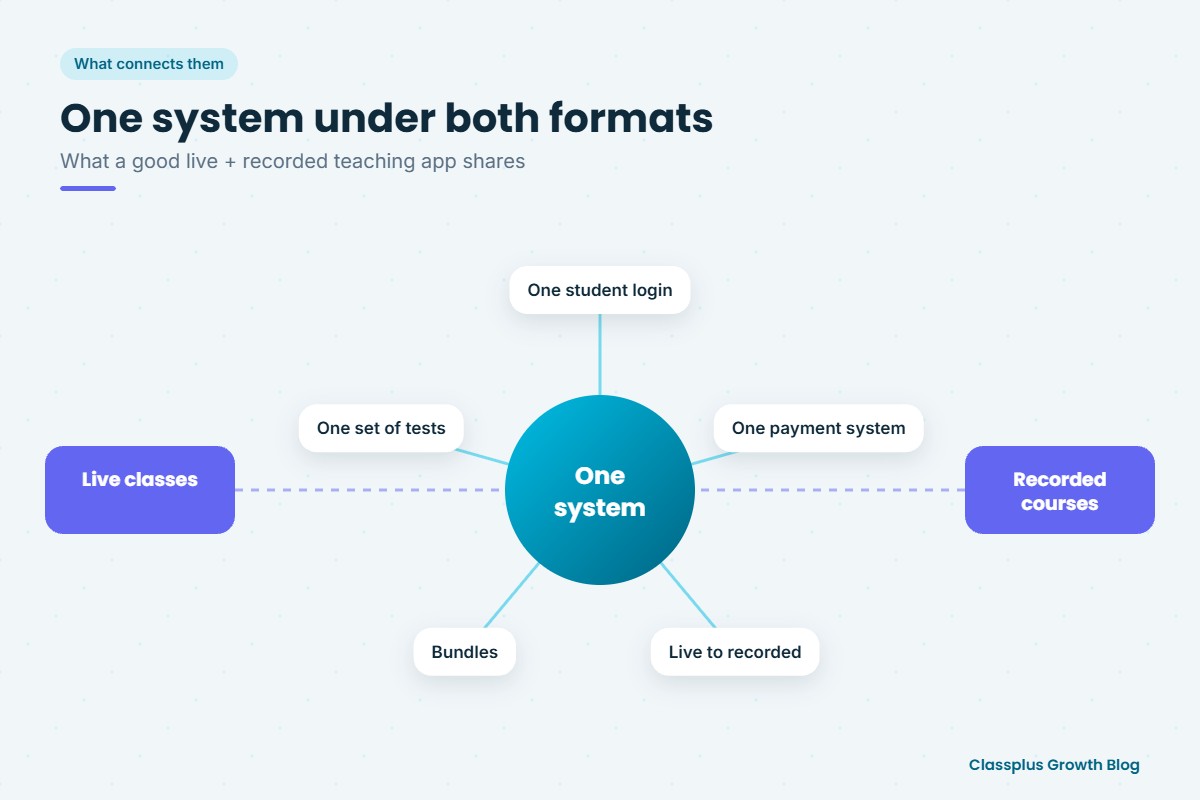
This is the part many teachers miss. A good teaching app for live and recorded teaching is not two tools joined together. It shares one system underneath.
- One student login. Students should see their live classes, recordings, notes and tests in one app.
- One payment system. Whether a student buys a live batch, a recorded course or both, payments and access should be handled together.
- Live-to-recorded in one step. A live class should become part of a recorded course without downloading and re-uploading.
- Bundles. You should be able to sell a live batch with recorded backup, or a recorded course with a few live doubt sessions.
- One set of tests and results. Test scores from both formats should sit in one place, so you can see each student’s progress.
Questions to ask before you choose
Use this list during demos or free trials.
| Area | Question |
|---|---|
| Live | How does the app handle a student on a slow 4G connection? |
| Live | Are live classes recorded automatically, and where do the recordings go? |
| Recorded | What content security does the app offer for videos and PDFs? |
| Recorded | Can I set different access periods for different courses? |
| Both | Can students buy a live batch, a recorded course or a bundle in the same app? |
| Both | Can I run tests for both live and recorded students and see results together? |
| Brand | Is the app in my name, or am I listed among other teachers? |
| Cost | How does pricing change as my number of students grows? |
| Support | Is help available when a live class has a problem? |
Ask for a trial with your real content: one live class, one recorded chapter and one test. Then join as a student on your own phone, on mobile data. That shows you what your students will experience.
A simple model to start with
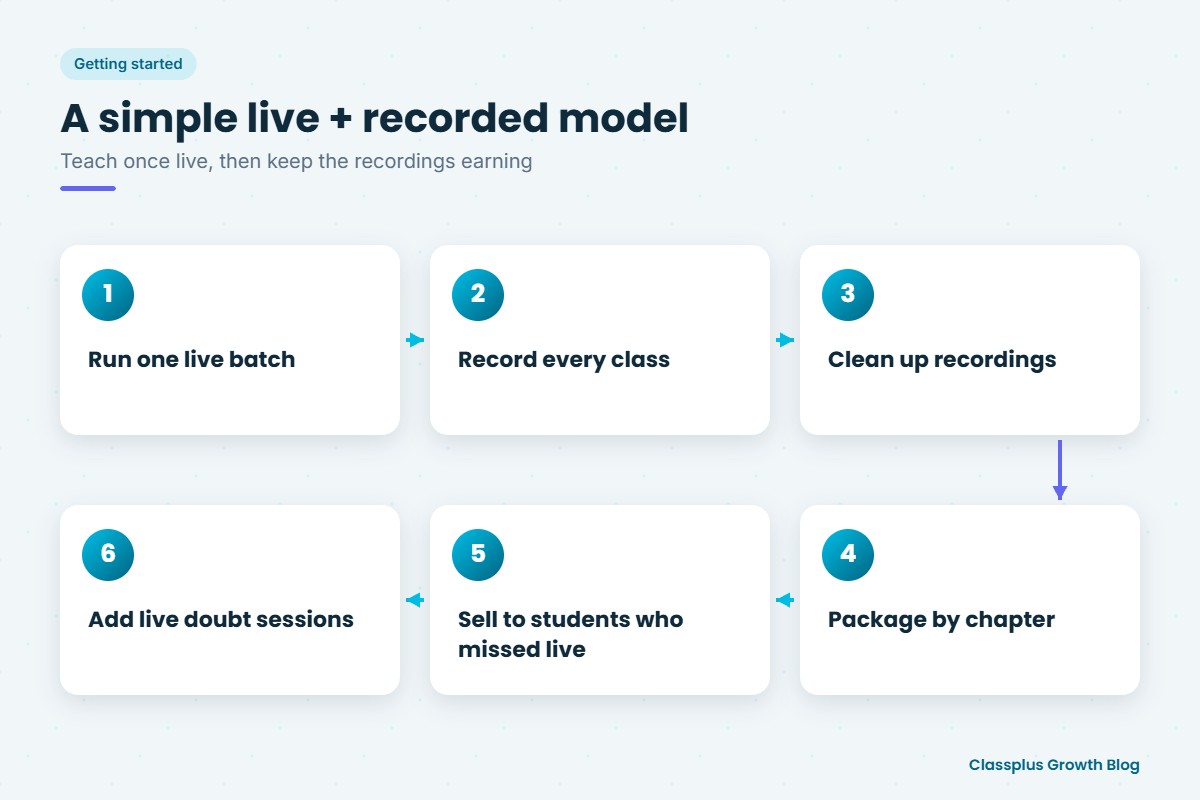
If you are new to running both formats, keep it simple.
- Run one live batch for a subject you already teach well.
- Let every class record automatically.
- Clean up the recordings at the end of each chapter: remove dead time and add notes.
- Package the chapter as part of a recorded course.
- Offer the course to students who could not join live, at a price that reflects the lack of live interaction. If you are moving an audience from free videos to paid courses, see our guide on choosing a teaching app for free-to-paid courses.
- Add a few live doubt sessions for recorded-course students if they need more support.
For help setting the price of each format, see our guide on how to price an online course.
Common mistakes
- Choosing for one format only. An app that is great for live classes but weak for recorded courses forces you into a second tool later.
- Ignoring the student view. Always test the app as a student, on a phone, before you decide. Our guide to teaching apps for coaching institutes has a full checklist.
- Selling raw live recordings as a course. Edit them first. Long waits, setup time and off-topic chats make recorded courses feel unprofessional.
- No access limits. Decide upfront how long recorded access lasts, and make it clear at purchase.
How Classplus supports both
Classplus helps teachers and coaching institutes run their own branded teaching app and website. You can run live classes, sell recorded courses, conduct tests, collect fee payments and manage batches in one place, under your own name. If you are thinking about your own app, our guide to an own branded app for a coaching institute explains what is involved.
To see how live and recorded teaching would work for your subjects, book a free demo with Classplus.
Frequently Asked Questions
Can one teaching app handle both live classes and recorded courses?
Yes. Many teaching apps support both. The important point is whether they share one student login, one payment system and one set of tests, so you are not managing two separate tools.
Should I start with live classes or recorded courses?
Many teachers start with live classes because they build trust and give quick feedback. Recording those classes then gives you the material for a recorded course later.
Can I sell recordings of my live classes as a course?
You can, but edit them first. Remove setup time and long pauses, organise them by chapter, and add notes and tests so the course works well for self-paced students.
How do I protect my recorded courses from being shared?
Choose an app with content security features such as protection against screen recording and unauthorised downloads. No app can stop every form of copying, so ask exactly what is covered.
What matters most in a live class app for Indian students?
Stable performance on mobile data, simple joining from a phone, automatic recording and a way to ask doubts during class matter most for most students.
Should live and recorded courses be priced differently?
Usually, yes. Live classes include direct access to the teacher, so they are often priced higher. Recorded courses can be priced lower and sold to more students.