
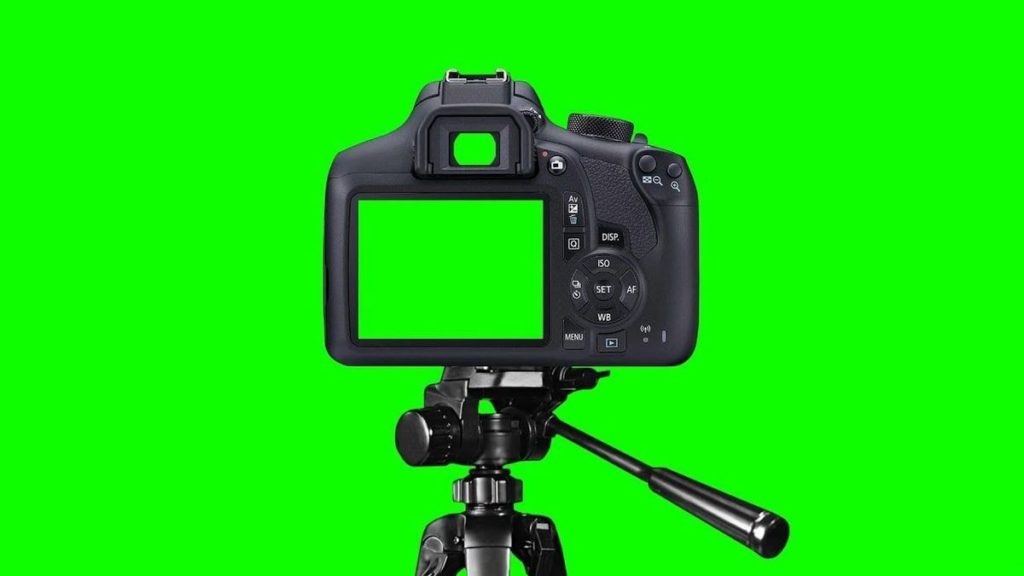
What is Green Screen Technology and How to Use It for Better Learning
Have you ever wondered how weather reporters appear to stand in front of animated weather maps, or how movie characters seem to fly through fantastical worlds? The answer lies in a fascinating technology called green screen, also known as chroma key. But what is green screen technology exactly, and how can it revolutionize the way we create educational content?
In today’s digital learning environment, green screen technology has emerged as a powerful tool for educators, content creators, and online learning platforms. This comprehensive guide will explore everything you need to know about green screen technology and how you can harness its potential to create engaging, professional-looking educational content.
1. Understanding Green Screen Technology: The Basics
To answer “what is green screen,” we need to understand the fundamental concept behind this revolutionary technology.
The Science Behind Green Screen:
Green screen technology, technically called chroma key compositing, works by filming a subject against a solid-colored background (usually bright green) and then digitally replacing that background with any image or video during post-production. The technology identifies the specific color (chroma) and makes it transparent, allowing another visual element to show through.
Why Green is the Standard:
- Green is the color least likely to match human skin tones
- Digital cameras are most sensitive to green light
- Green provides the cleanest separation between subject and background
- It creates less digital noise compared to other colors
Modern Applications:
Today’s video conferencing and streaming platforms have integrated real-time green screen technology, making it accessible for educators and content creators without expensive equipment or complex post-production processes.
2. Essential Equipment for Green Screen Setup
Understanding what is green screen technology is just the first step; knowing what equipment you need is equally important.
Basic Requirements:
- Green Screen Background: Can be a painted wall, fabric backdrop, or portable green screen
- Proper Lighting: Even lighting is crucial for clean background removal
- Camera or Webcam: Most modern cameras and smartphones support green screen
- Software: Video editing or streaming software with chroma key capabilities
Budget-Friendly Options:
- Collapsible green screen panels for small spaces
- LED ring lights for even illumination
- Smartphone apps with built-in green screen features
- Free video editing software with chroma key functionality
Professional Setup:
Educational platforms and professional content creators often invest in more sophisticated setups including multiple light sources, high-quality cameras, and dedicated streaming software that provides real-time background replacement during live sessions.
3. Setting Up Your Green Screen Environment
Proper setup is crucial for achieving professional results with green screen technology.
Space Considerations:
- Distance: Maintain at least 3-6 feet between yourself and the green screen
- Size: Ensure the green screen covers your entire frame with extra space
- Wrinkles: Keep the green screen smooth and wrinkle-free
- Positioning: Place yourself far enough to avoid shadows on the background
Lighting Best Practices:
- Use soft, even lighting on both you and the green screen
- Avoid harsh shadows or hotspots on the green background
- Consider using a three-point lighting setup for professional results
- Natural lighting can work but may require additional adjustment
Common Mistakes to Avoid:
- Wearing green clothing or accessories
- Uneven lighting creating shadows
- Standing too close to the green screen
- Using a wrinkled or dirty green screen surface
4. Green Screen Software and Tools
Modern technology has made green screen accessible through various software options and integrated platform features.
Built-in Platform Features:
Many online learning and video conferencing platforms now include integrated green screen functionality that works in real-time during live sessions. These features allow educators to:
- Replace backgrounds instantly during live classes
- Use educational backdrops relevant to lesson content
- Create immersive learning environments
- Maintain student engagement through visual variety
Popular Software Options:
- Beginner-Friendly: Simple drag-and-drop interfaces with preset backgrounds
- Advanced Options: Professional video editing software with precise control
- Mobile Apps: Smartphone applications for quick green screen videos
- Browser-Based Tools: Web applications that require no downloads
Platform Integration:
Modern educational platforms often integrate green screen capabilities directly into their systems, allowing teachers to use this technology seamlessly during online classes without additional software or complex setup procedures.
5. Educational Applications of Green Screen Technology
Green screen technology offers numerous creative possibilities for enhancing educational content and engagement.
Subject-Specific Applications:
- History: Transport students to historical locations and events
- Geography: Explore different countries and landmarks virtually
- Science: Create laboratory simulations or space exploration experiences
- Literature: Bring story settings to life visually
- Language Learning: Immerse students in cultural contexts
Interactive Learning Experiences:
- Virtual field trips to museums, historical sites, or natural wonders
- Role-playing activities with themed backgrounds
- Presentation enhancement with relevant visual contexts
- Storytelling with dynamic scene changes
- Science demonstrations with laboratory or natural settings
Professional Development:
Teachers can use green screen technology to create professional-looking instructional videos, training materials, and educational content that rivals commercial productions.
6. Creating Engaging Content with Green Screen
Understanding what is green screen is only the beginning; creating compelling content requires creativity and strategic thinking.
Content Planning Strategies:
- Storyboard Your Ideas: Plan your scenes and background changes in advance
- Match Content to Visuals: Ensure backgrounds enhance rather than distract from your message
- Consider Your Audience: Choose backgrounds appropriate for your students’ age and interests
- Prepare Multiple Options: Have several background choices ready for variety
Best Practices for Educational Content:
- Keep backgrounds relevant to lesson objectives
- Use high-quality images and videos for backgrounds
- Maintain consistency in lighting and positioning
- Practice your presentation with the green screen setup
- Test your setup before live sessions
Creative Techniques:
- Combine green screen with other visual elements like graphics and text
- Use animated backgrounds for dynamic presentations
- Create themed series with consistent visual branding
- Incorporate student-created backgrounds for collaborative projects
7. Technical Tips for Better Green Screen Results
Achieving professional-quality results requires attention to technical details and best practices.
Camera Settings and Positioning:
- Resolution: Use the highest quality your platform supports
- Frame Rate: Maintain consistent frame rates for smooth video
- Focus: Ensure sharp focus on yourself, not the green screen
- Positioning: Keep the camera at eye level for natural appearance
Lighting Optimization:
- Use soft, diffused lighting to minimize harsh shadows
- Maintain even illumination across the entire green screen
- Avoid colored lighting that might affect the green screen
- Consider the color temperature of your lights for natural appearance
Post-Production Tips:
- Adjust the chroma key settings for clean background removal
- Fine-tune edge softness for natural blending
- Color correct your footage for consistent appearance
- Add subtle shadows or reflections for realism
8. Troubleshooting Common Green Screen Issues
Even with proper setup, you may encounter challenges when working with green screen technology.
Common Problems and Solutions:
- Green Spill: Adjust lighting or increase distance from green screen
- Rough Edges: Fine-tune chroma key settings or improve lighting
- Background Bleeding: Ensure even lighting and clean green screen surface
- Color Matching: Calibrate your camera and monitor colors
- Movement Blur: Improve lighting or adjust camera settings
Platform-Specific Considerations:
Different online learning platforms may have varying green screen capabilities and requirements. Understanding your platform’s specific features and limitations helps optimize your setup for the best results.
Performance Optimization:
- Ensure adequate computer processing power for real-time green screen
- Close unnecessary applications to free up system resources
- Use wired internet connections for stable streaming
- Test your setup thoroughly before important sessions
9. Green Screen for Different Learning Scenarios
Green screen technology can be adapted for various educational contexts and learning environments.
Live Online Classes:
- Real-time background changes during lessons
- Interactive elements and visual aids
- Student engagement through visual variety
- Professional appearance for recorded sessions
Pre-recorded Content:
- Polished instructional videos
- Course introduction materials
- Tutorial and demonstration videos
- Marketing and promotional content
Hybrid Learning:
- Connecting remote and in-person students through shared visual experiences
- Creating consistent visual branding across different delivery methods
- Enhancing accessibility through visual learning aids
Student Projects:
- Teaching students to create their own green screen content
- Collaborative projects with shared visual themes
- Presentation skills development through video creation
- Creative expression through multimedia projects
10. Advanced Green Screen Techniques
Once you’ve mastered the basics, you can explore more sophisticated applications of green screen technology.
Multi-Layer Compositing:
- Combining multiple green screen elements
- Adding graphics, text, and animations
- Creating complex visual narratives
- Professional broadcast-quality production
Interactive Elements:
- Real-time interaction with background elements
- Responsive backgrounds that change based on content
- Integration with other educational technology tools
- Gamification elements using green screen
Collaborative Green Screen Projects:
- Students contributing background elements
- Shared virtual spaces for group work
- Cross-cultural exchanges through virtual environments
- Community building through shared visual experiences
11. Future Trends in Green Screen Technology
As technology continues to evolve, green screen capabilities are becoming more sophisticated and accessible.
Emerging Technologies:
- AI-Powered Background Removal: More accurate and efficient than traditional green screen
- Real-Time Ray Tracing: Enhanced realism in virtual backgrounds
- Mobile Integration: Improved smartphone green screen capabilities
- Cloud Processing: Server-based green screen processing for better performance
Educational Platform Evolution:
Modern learning management systems are integrating increasingly sophisticated green screen features, making professional-quality content creation accessible to all educators regardless of technical expertise.
Accessibility Improvements:
- Simplified setup processes
- Automatic lighting adjustment
- One-click background changes
- Templates and presets for common educational scenarios
12. Getting Started: Your Green Screen Journey
Now that you understand what is green screen technology and its potential applications, it’s time to begin your own green screen journey.
Start Small:
- Begin with basic equipment and simple backgrounds
- Practice with short videos or recorded sessions
- Gradually increase complexity as you gain confidence
- Seek feedback from students and colleagues
Build Your Skills:
- Watch tutorials and online courses
- Experiment with different backgrounds and techniques
- Join online communities of educators using green screen
- Share your experiences and learn from others
Scale Up:
As you become more comfortable with green screen technology, consider expanding your setup and exploring more advanced techniques. Many educators find that green screen becomes an indispensable tool for creating engaging, professional educational content.
Conclusion: Transforming Education with Green Screen
Understanding what is green screen technology and how to use it effectively can dramatically enhance your educational content and student engagement. From simple background replacement to complex interactive experiences, green screen offers endless possibilities for creative educators.
The key to success with green screen lies in starting with the basics, practicing regularly, and gradually expanding your skills and equipment. With proper setup, good lighting, and creative vision, you can create professional-quality educational content that rivals commercial productions.
Modern educational platforms have made green screen technology more accessible than ever, integrating these capabilities directly into their systems and providing educators with powerful tools for content creation. Whether you’re teaching history, science, languages, or any other subject, green screen can help you create immersive, engaging experiences that captivate your students and enhance learning outcomes.
Also Read: how-to-set-up-a-teleprompter




