
In today’s technology-integrated classrooms, multitasking is standard, yet different students do it in obviously different ways. Teachers can find themselves juggling laptops, tablets, smartphones, document cameras, USB drives, printers, projectors, and more – sometimes, all in one session. No matter if you’re teaching in a physical classroom, hybrid lessons or over the internet, there is more demand than ever for effective and dependable connectivity tools.
And that’s where USB hubs and docks come in. The unsung heroes of tech setups are here to help teachers wrangle a whole bunch of devices. A great USB-C hub or docking station can cut down on the clutter, save you time, and reduce the number of times you have to plug in and unplug your myriad devices. In this guide, we look at the best USB hubs and docks for computer professionals and provide their features, compatibility, pros, cons and price.
Teachers: Why You Need a USB Hub
Why You Need a Dock? Before we get to the list, a quick reminder of why USB hubs and docks are vital tools for teachers:
MORE CONNECTIONS: Laptops have only 2-3 USB ports and most ROKU sticks only have 1- Maybe you’re the dad/mom always asking your family for a phone charger. A hub or a dock can get you more — sometimes as many as 12.
Multiple device connectivity: Attach external hard drives, keyboards, printers, webcams, devices, and more at the same time.
Charge Instead of Docks: Ports devices charged instead if it’s compatible.
Clean Up Cable Management: Eliminate the maze of cluttered cords. Support for Hybrid Classrooms: Easily connect a second monitor, projector, or HDMI display.
These tools-which span everything from presenting lessons, to sharing multimedia, to managing assessments- help you make your tech ecosystem that much more efficient and teacher-friendly.
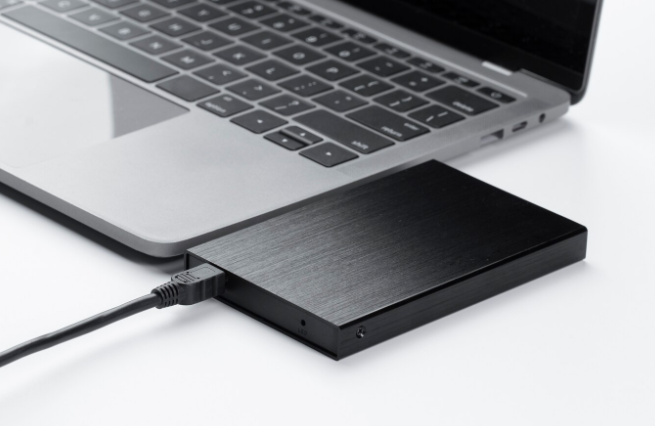
1. Anker PowerExpand 8-in-1 USB-C hub
Best for: Flexibly-tailored teaching setups with USB-C laptops
Port: 1 HDMI output, 2 USB-A 3.0, 1 USB-C PD, 1 USB-C data, SD/TF card slot, 1 Ethernet port.
Compatibility: MacBooks, Chromebooks, Windows laptops with USB-C
Price Range: ₹6,000–₹7,500
Pros:
Supports 4K HDMI output
Rugged construction and small size
SD card reader great for teacher with DSLR or regular camera
Cons:
Lack of VGA port (needed for older-style projectors)
Cannot charge hyper-power laptops (over 85W)
Why teachers love it: It has everything — HDMI for the projector, Ethernet for reliable internet and fast file transfer for lesson plans and multimedia.
2. Belkin Thunderbolt 3 Dock Pro
Best for: Premium classrooms and video-rich workloads
Ports: Thunderbolt 3, USB-A, USB-C, DisplayPort, SD card reader, Ethernet, Audio
Compatible with: Windows and macOS, Thunderbolt 3 laptops
Price Range: ₹28,000–₹32,000
Pros:
Dual 4K monitor support
85W charging -Great for MacBooks
Extremely fast data transfer
Cons:
Pricey for cash-strapped schools
Best performance with Thunderbolt 3 only
Why teachers love it: Perfect for the multimedia teacher working with video editing, visual presentations and multiple displays.
3. USB 3.0 7-
Port Industrial Muraglia Hub for PC, 12V/2.5
Ideal for: Budget-minded teachers with a lot of USB-A gadgets
Ports: 7 USB 3.0, 2 charge-only ports
It’s compatible with Windows and macOS
Price Range: ₹3,000–₹4,000
Pros:
Affordable
Fast USB 3.0 speeds
Two USB ports for plug and play charging for phones and tablets
Cons:
No HDMI or SD card slots
Not as sleek for on-the-go, Laptop wired connection
Why teachers love it: Ideal for simple teaching setups that require multiple USB-A connections — such as keyboards, USB drives and printers.
4. Lenovo USB-C Mini Dock
Best for: Teachers who have Lenovo laptops and hybrid courses
Ports: 1 x USB 3.0, 1 x USB 2. 1, USB-C
Supporting Devices: Windows, specifically Lenovo devices
Price Range: ₹6,500–₹7,800
Pros:
Provides both VGA and HDMI outputs
Lightweight and portable
Reliable brand and service
Cons:
Best for Lenovo machines
Pass-through charging is very limited.
Why teachers love it: Ideal for older schools that are using VGA projectors alongside modern HDMI tools.

5. Satechi Aluminum Multi-Port Adapter
V2 And today, you don’t even have to compromise when it comes to aesthetics.
Best for: Those who value portability and good looks.
Ports: 4K HDMI, USB-C PD, 2 USB-A, SD/MicroSD, Ethernet
Compatible With: MacBook, iPad Pro, Chromebook, Windows
Price Range: ₹6,000–₹8,000
Pros:
Sleek aluminum design
Easy to travel with
Great compatibility between different systems
Cons:
Takes a while to warm up over long sessions
A bit high priced considering fewer ports
Why teachers love it: It is highly compatible with Apple devices and is awesome for on-the-go teaching setups or in and out of school.
6. Ugreen USB C Hub 9-in-1 Adapter
Runner-Up for Best Overall: Tenergy Balance Comp NMH Best for: A combination of performance and price
Ports: 4K HDMI, VGA, USB 3. 0 x3, SD/MicroSD, Gigabit Ethernet, USB-C PD
Compatible with: Windows, macOS, Android (select models)
Price Range: ₹5,000–₹6,000
Pros:
Has both HDMI and VGA
Can connect old and new tech
Connectivity Ethernet port for online class stability
Cons:
Cumbersome when contrasted with some of the more compact styles
USB-C PD limited to 60W
Why teachers love it: Excellent for teachers moving between devices and spaces (home, school, online).
7. Dell WD19TB Thunderbolt Dock
Best for: Dell laptop-carrying teachers with dual monitors.
Ports: USB-C, Thunderbolt, HDMI, DisplayPort, Audio, Ethernet
Compatibility: Best suitable for Dell laptops
Price Range: ₹22,000–₹26,000
Pros:
Powers heavy Laptops upto and including 17″ laptops
Very good video quality
Multiple monitor support
Cons:
Expensive
Limited number of older devices with Thunderbolt port
Why teachers love it:
Particularly valuable for online lecturers who require multiple screens for notes, content and their Zoom/Google Meet interface.
Things to Consider Before Purchasing
The best USB hub or dock for you depends on teaching style, devices and setup. Here’s what to consider:
Type of Ports You Want: HDMI for projectors? SD card for DSLR use? USB-A for older tools? Power Delivery (PD): If you would like to be able to charge your laptop over the dock, consider what the PD wattage.
Compatibility: Get a dock that’s compatible with both your device’s operating system and port (USB-C vs USB-A vs Thunderbolt).
Portability vs. Stationary Use: If you are on the run — traveling back and forth between classrooms, your home and school — compact will be a good way to go.
Budget: Not the priciest but the most suitable for your process.
Final Thoughts
As tech continues to influence education, having the right tools at your disposal can cut down on the friction in your workday. A well-selected USB hub or dock is more than just something that’s “nice to have” prep; it should be a crucial tool in your productivity arsenal to make sure that you’re always connected, organized, and ready for whatever—whether that means moving from video lessons to slideshows, printing handouts, or running online quizzes.
Consider your needs (how many devices will be connected, what kind of connection, how you will teach), so that you can opt for a product that will really help you during your classes.




