
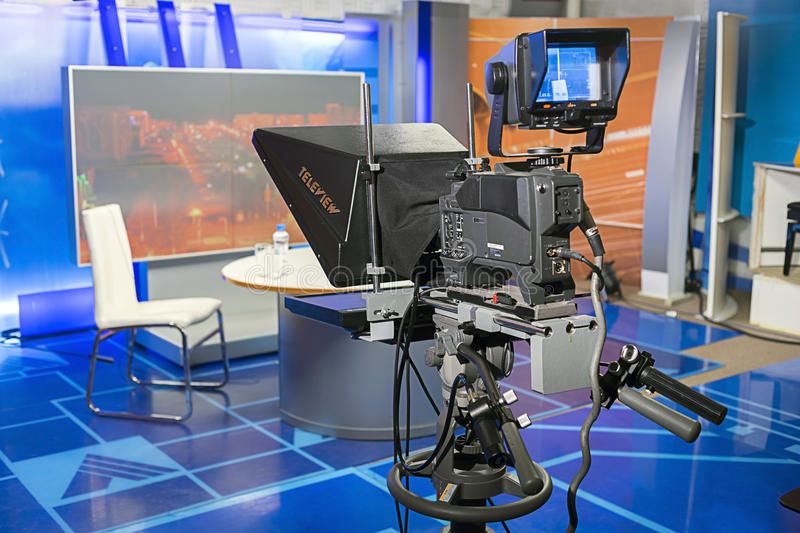
Using a teleprompter can significantly enhance your presentation skills, making it easier to deliver content smoothly and confidently. Whether you’re a teacher delivering a lecture or a content creator filming videos, this step-by-step guide will help you set up a teleprompter effectively. Plus, discover how Classplus can support your presentation needs.
1. Choose the Right Teleprompter
Start by selecting a teleprompter that fits your needs. There are various types available, from simple smartphone apps to professional setups. Consider your budget and the features you require. For instance, a basic app might be sufficient for casual presentations, while educators may benefit from more advanced options.
2. Gather Your Equipment
Ensure you have all the necessary equipment for your teleprompter setup. This typically includes:
- Teleprompter device or app
- Camera (DSLR, webcam, or smartphone)
- Tripod (to stabilize your camera)
- Microphone (for clear audio)
- Lighting (to enhance video quality)
3. Set Up Your Camera
Position your camera at eye level to maintain a natural look while presenting. Use a tripod to ensure stability. If you’re using a smartphone as a camera, make sure it’s securely mounted.
4. Install the Teleprompter Software
If you’re using a teleprompter app, download and install it on your device. Most apps are user-friendly and offer features like adjustable text speed and font size. For a professional setup, follow the manufacturer’s instructions to install the software.
5. Connect Your Devices
For setups using a computer or tablet as a teleprompter, connect it to your camera. This may involve using a mirror or glass to reflect the text from the teleprompter app onto the camera lens. Ensure everything is securely connected to avoid interruptions during your presentation.
6. Write Your Script
Prepare your script in advance. Keep it concise and engaging, using simple language that resonates with your audience. Break down complex ideas into digestible segments. If you’re a teacher, consider integrating relevant Classplus resources to enhance your script.
7. Adjust Text Settings
Customize the text settings in your teleprompter app. Adjust the font size, speed, and color to ensure readability. Test these settings to find what works best for you, ensuring that you can read comfortably without straining your eyes.
8. Practice Your Delivery
Before going live or recording, practice your delivery with the teleprompter. Familiarize yourself with the pacing and make adjustments as needed. This practice will help you maintain eye contact with the camera, creating a more engaging presentation.
9. Set Up Your Recording Environment
Create a distraction-free environment for your recording. Ensure adequate lighting and minimize background noise. If you’re teaching a class, consider using Classplus to share your presentation materials and enhance student engagement.
10. Record or Go Live
Once you’re comfortable with your setup and delivery, it’s time to record or present live. Stay relaxed and confident; the teleprompter is there to assist you. Remember to engage with your audience, even if you’re reading from a script.
Conclusion
Setting up a teleprompter can greatly enhance your presentation skills, making it easier to convey information clearly and confidently. By following these steps, you’ll be well on your way to delivering engaging lectures or videos. With Classplus, you can further enrich your presentations by integrating interactive resources and materials, ensuring a comprehensive learning experience for your audience.
Start your journey to more effective presentations today!
Also Read: teaching-devices-guide




