
A good printer is no longer optional for teachers teaching from home — full time, part time, hybrid or side gig tutoring. It’s an integral part of the day-to-day. When it comes to printing worksheets and lesson plans, scanning assignments and exam sheets, the right printer can save time, save money and even reduce some stress. In this post, we’ll help you identify the best printers for home teaching in, stripped across affordability, performance, connectivity, and classroom-type tasks.
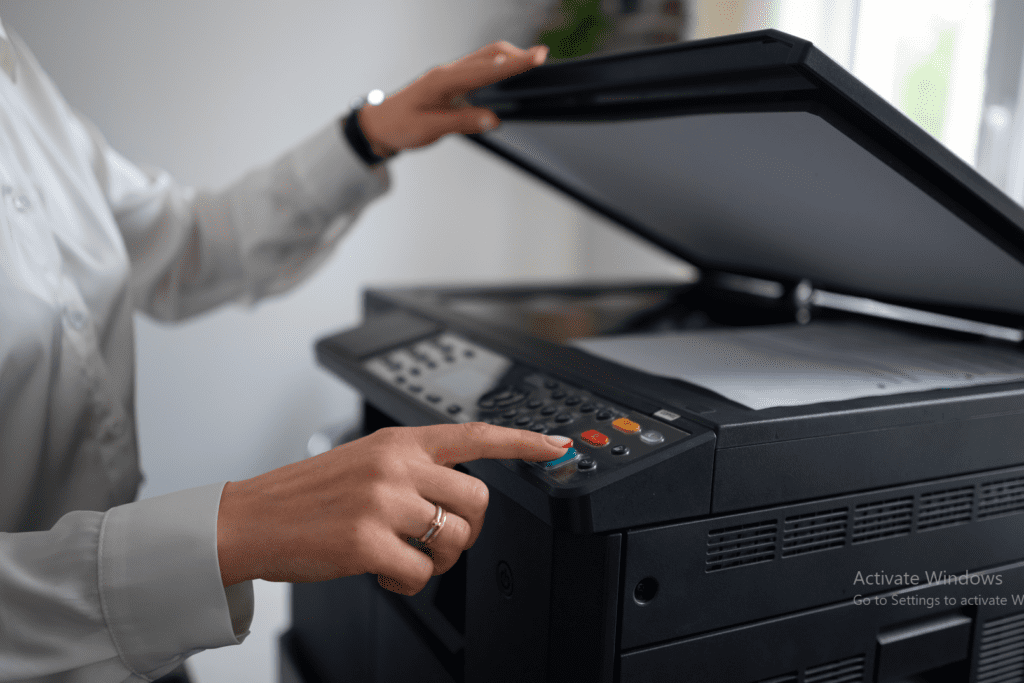
What Teachers Need in a Home Printer
Before we dive into product reviews, here’s what educators should consider:
- Print Volume: Do you print 20 pages per week, or 200?
- Ink Economy: Is expensive to replace the printer ink, or does the machine have an efficient use of ink?
- Multifunctionality: Do you also want to scan and photocopy?
- Wireless Printing: Does it print from your laptop, phone, and tablet wirelessly?
- Speed and Quality: How quickly is it printing, and does it work for detailed diagrams or charts?
Top 7 Printers for Home-Based Teaching in 2025
1. HP Smart Tank 585 All-in-One (Best for Heavy Usage)
Price: ₹14,999 (India) / $229 (US)
Type: Ink Tank
Features:
- Print, Scan, Copy
- Up to 6,000 B/W or 8,000 color pages per refill
- Wi-Fi, Bluetooth, and USB connectivity
Why Teachers Love It:
Economical ink refills and high-volume printing make this ideal for educators who print frequently. HP’s Smart App makes wireless printing from your phone or tablet seamless.
2. Canon PIXMA G3020 (Best for Multi-Functionality)
Price: ₹16,999 / $219
Type: Ink Tank
Features:
- Print, Scan, Copy
- Borderless photo printing
- Mobile and wireless printing
Why It’s Great for Teachers:
This is the go-to printer for teachers who frequently print colorful charts, photos, and infographics. Its robust build and long-lasting ink make it cost-effective in the long run.
3. Brother DCP-T426W (Most Reliable for Indian Users)
Price: ₹14,499
Type: Ink Tank
Features:
- Print, Copy, Scan
- Wi-Fi Direct and USB
- 7,500 pages per refill (black)
Standout Feature:
Excellent after-sales support in India and user-friendly interface. The paper tray can handle a high number of sheets, reducing your refill frequency.
4. Epson EcoTank L3250 (Best for Wireless Convenience)
Price: ₹13,999 / $199
Type: Ink Tank
Features:
- Compact design
- Fast color and B/W printing
- Wi-Fi and Epson Smart Panel app support
Why It Works for Teachers:
Effortless mobile connectivity, high print yields, and intuitive app controls. Excellent for quick, quality prints of study materials.
5. HP DeskJet Ink Advantage Ultra 4826 (Best Budget Pick)
Price: ₹6,499 / $99
Type: Inkjet
Features:
- All-in-one with wireless support
- Dual-band Wi-Fi
- Compatible with HP Smart App
Perfect For:
Teachers on a tight budget who still need print, scan, and copy options for light to moderate use. Great for home tutoring setups.
6. Canon ImageCLASS MF241D (Best Laser Option for Text-Heavy Prints)
Price: ₹17,499 / $249
Type: Laser (Mono)
Features:
- Duplex printing
- High-speed printing
- Excellent for black-and-white notes
Ideal For:
Educators who print mostly text documents—question papers, reading materials, and lesson plans. Laser quality is unbeatable for crispness and clarity.
7. Epson EcoTank L15150 (Premium Choice for School-Style Printing)
Price: ₹59,999 / $699
Type: Ink Tank (A3 capable)
Features:
- A3 printing
- High speed + duplex
- Ethernet, Wi-Fi, USB
Why It’s Premium:
For teachers running coaching centers or printing high volumes daily, this printer delivers industrial-level quality and efficiency. It’s also future-ready with advanced document handling.
Comparison Table: Quick Overview
| Printer Model | Type | Print Volume | Connectivity | Best For |
| HP Smart Tank 585 | Ink Tank | 6,000–8,000 pages | Wi-Fi, USB | Heavy daily printing |
| Canon PIXMA G3020 | Ink Tank | High | Wireless, Mobile | Color charts, visual materials |
| Brother DCP-T426W | Ink Tank | 7,500 pages | USB, Wi-Fi Direct | Reliable all-in-one |
| Epson EcoTank L3250 | Ink Tank | Moderate–High | Wireless, App | Remote/online class printing |
| HP DeskJet Ink 4826 | Inkjet | Light | Wi-Fi | Budget-conscious home users |
| Canon MF241D | Laser | Text-heavy, fast | USB | Monochrome document printing |
| Epson EcoTank L15150 | Ink Tank | Very High | All options | Coaching centers, premium users |
Ink Tank vs Inkjet vs Laser: What Should Teachers Choose?
- Ink Tank Printers:
✅ Best for regular, high-volume printing
✅ Low cost per page
❌ Higher initial cost - Inkjet Printers:
✅ Cheaper upfront
✅ Good for occasional color prints
❌ Higher ink cost over time - Laser Printers:
✅ Super-fast and crisp text
✅ Ideal for bulk black-and-white printing
❌ Costlier for color and images
Must-Have Features for Teachers
- Auto-Duplex Printing: Save time and paper with double-sided printing.
- Mobile App Integration: Enables printing from your smartphone—great for last-minute worksheets.
- Scanner with OCR (Optional): Some models allow you to scan documents into editable text.
- High Paper Tray Capacity: Reduces need for frequent loading during bulk printing.
- Eco-Friendly Mode: Conserves ink and energy—great for sustainable teaching.
Tips for Maintaining Your Printer
- Use it weekly to avoid ink clogging (especially inkjets).
- Keep the firmware updated via the printer’s app or software.
- Clean the print head monthly using built-in maintenance tools.
- Use original or certified compatible ink for longevity.
Final Thoughts
In 2025, learning at home is more liberated than ever — and so should your tools be. So, whether you’re tutoring online, prepping for a mix of in-person and remote classes or starting your own course, the right printer can help make you more productive and improve the learning experiences for your students.
If you print a lot, you might want to invest in an ink tank model like the HP Smart Tank 585 or Canon G3020. For those on a budget, the HP DeskJet Ink 4826 is a full-function printer that won’t break the bank. And if you are running a professional coaching setup, the Epson L15150 is your life long companion.




