
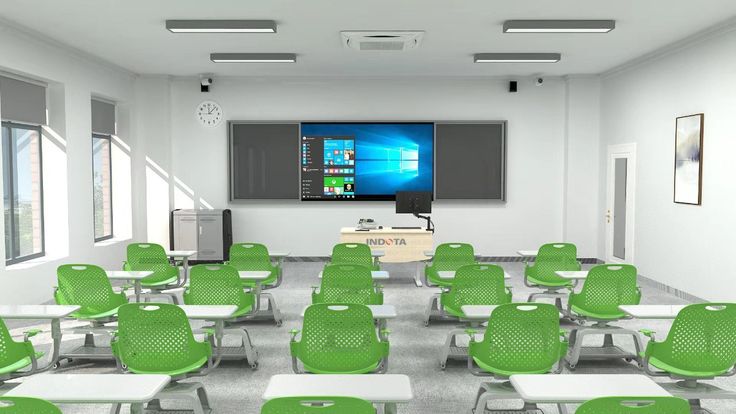
Affordable Smart Boards That Work With Apps: Complete Guide for Modern Educators
The education technology landscape has evolved dramatically, making interactive learning more accessible than ever before. Affordable smart boards that work with apps have emerged as game-changing tools that bring advanced classroom technology within reach of educators, training institutes, and online course creators who previously couldn’t justify the investment in premium interactive displays.
This comprehensive guide explores the world of budget-friendly smart boards, helping you discover how these powerful tools can transform your teaching methodology without straining your finances.
1. What Are Affordable Smart Boards That Work With Apps?
Affordable smart boards that work with apps are interactive display systems designed to provide premium functionality at budget-conscious price points. These devices typically feature touch-sensitive screens, built-in operating systems (usually Android or Windows-based), and the ability to download and run educational applications directly on the display.
Unlike traditional whiteboards or even basic projectors, these smart boards offer a complete digital ecosystem where educators can access thousands of educational apps, create interactive lessons, and engage students through multimedia content. The “affordable” aspect doesn’t mean compromising on essential features modern budget smart boards often include 4K displays, multi-touch functionality, and robust app ecosystems.
2. Key Features of Affordable Smart Boards
Essential Hardware Specifications
Modern affordable smart boards that work with apps typically include HD or 4K resolution displays, multi-point touch sensitivity (usually 10-20 touch points), built-in speakers, and various connectivity options including WiFi, Bluetooth, HDMI, and USB ports.
Operating System Capabilities
Most budget-friendly smart boards run on Android operating systems, providing access to Google Play Store and thousands of educational apps. Some models offer Windows compatibility or proprietary systems designed specifically for educational use.
App Integration Features
The ability to download, install, and run apps directly on the smart board is what sets these devices apart from basic interactive displays. This includes educational apps, productivity software, web browsers, and specialized teaching tools.
Collaborative Tools
Many affordable smart boards come with built-in whiteboard software, screen sharing capabilities, and collaborative features that allow multiple users to interact simultaneously with the display.
3. Top 10 Affordable Smart Boards That Work With Apps
1. VILINICE Interactive Whiteboard ($299 – $599)
- Screen Sizes: 55″, 65″, 75″
- Operating System: Android 11
- Key Features: 20-point multi-touch, 4K resolution, Google Play Store access
- Best For: Small classrooms and budget-conscious educators
2. Newline Interactive TT Series ($500 – $800)
- Screen Sizes: 55″, 65″
- Operating System: Android 8.0
- Key Features: Built-in whiteboard app, wireless screen sharing
- Best For: Interactive presentations and collaborative learning
3. MAXHUB V5 Classic Series ($600 – $1,000)
- Screen Sizes: 55″, 65″, 75″
- Operating System: Android
- Key Features: Dual system (Windows + Android), cloud storage integration
- Best For: Hybrid learning environments
4. ViewSonic ViewBoard IFP50-2E ($700 – $1,200)
- Screen Sizes: 65″, 75″
- Operating System: Android 8.0
- Key Features: myViewBoard software suite, eye-care technology
- Best For: Health-conscious long-duration usage
5. BenQ RM5502K Interactive Display ($800 – $1,300)
- Screen Sizes: 55″
- Operating System: Android
- Key Features: Germ-resistant screen, EZWrite whiteboard software
- Best For: Health and hygiene-focused environments
6. Ricoh Interactive Whiteboard D2200 ($650 – $950)
- Screen Sizes: 65″
- Operating System: Android
- Key Features: Multi-device connectivity, cloud integration
- Best For: Multi-device classroom setups
7. Sharp AQUOS Board PN-C Series ($900 – $1,400)
- Screen Sizes: 60″, 70″
- Operating System: Android
- Key Features: UV²A photo-catalytic coating, SHARP Pen Software
- Best For: Durability and longevity requirements
8. Promethean ActivPanel Elements Series ($1,000 – $1,500)
- Screen Sizes: 65″, 75″
- Operating System: Android
- Key Features: Unified menu system, lesson activity builder
- Best For: Structured lesson planning and delivery
9. Clevertouch V Series ($750 – $1,200)
- Screen Sizes: 65″, 75″
- Operating System: Android 8.0
- Key Features: Anti-bacterial coating, Clevershare app
- Best For: Collaborative and health-conscious environments
10. IQTouch TE1200 Pro ($400 – $700)
- Screen Sizes: 55″, 65″
- Operating System: Android 9.0
- Key Features: Lowest price point, essential features included
- Best For: Extremely budget-conscious purchases
4. Essential Apps for Smart Board Education
Educational Content Apps
Popular educational apps that work seamlessly with affordable smart boards include Khan Academy for comprehensive subject coverage, Kahoot! for interactive quizzes, Nearpod for engaging presentations, and IXL Learning for personalized practice across subjects.
Productivity and Collaboration Apps
Essential productivity apps include Google Workspace (Docs, Slides, Sheets), Microsoft Office Suite, Zoom for video conferencing, and Padlet for collaborative digital bulletin boards.
Subject-Specific Applications
Specialized apps like GeoGebra for mathematics visualization, Tinkercad for 3D design education, Scratch for programming concepts, and Flipgrid for video-based discussions enhance subject-specific learning experiences.
Creative and Design Tools
Apps such as Canva for graphic design, Adobe Creative Cloud mobile apps, Piktochart for infographics, and Book Creator for digital storytelling provide creative outlets for both educators and students.
5. How Classplus Educators Can Leverage Affordable Smart Boards
Enhanced Live Session Delivery
Classplus educators conducting live sessions can use affordable smart boards that work with apps to create more dynamic and interactive presentations. Instead of traditional screen sharing, educators can use the smart board’s touch functionality to annotate, draw, solve problems in real-time, and navigate through educational apps while students watch and engage through the Classplus platform.
Professional Course Content Creation
When recording course content for the Classplus platform, smart boards provide a professional backdrop and interactive capabilities. Educators can use various educational apps to create visual explanations, demonstrate software usage, and create more engaging video content that stands out in the competitive online education market.
Hybrid Learning Integration
Many Classplus educators also conduct offline workshops or in-person training sessions. Affordable smart boards bridge the gap between online and offline teaching, allowing educators to maintain consistency in their teaching methodology across different formats while building their brand presence.
Student Engagement and Retention
Interactive smart board content can be recorded and uploaded to Classplus courses, providing students with more engaging learning materials. This enhanced interactivity often leads to better course completion rates and higher student satisfaction scores on the platform.
6. Budget Planning and Cost-Benefit Analysis
Initial Investment Considerations
When planning for affordable smart boards that work with apps, consider the total cost of ownership including the device price, mounting hardware, potential software subscriptions, and any additional accessories like styluses or wireless presentation tools.
Return on Investment for Educators
For Classplus educators and independent trainers, the investment in a smart board can lead to increased course enrollments, higher pricing for premium courses, and improved student retention rates, ultimately providing a positive return on investment.
Financing Options
Many suppliers offer educational financing, lease-to-own programs, or bulk purchase discounts that can make affordable smart boards even more accessible to individual educators or small training institutes.
Long-term Value Proposition
Quality affordable smart boards typically last 5-7 years with proper maintenance, providing ongoing value through software updates, new app availability, and evolving educational content capabilities.
7. Installation and Setup Best Practices
Pre-Installation Planning
Before installation, ensure adequate wall support, proper electrical outlets, network connectivity, and consideration of viewing angles for optimal user experience. Measure the space carefully and plan for cable management.
Network Configuration
Set up dedicated WiFi networks for educational use, configure content filtering if necessary, and ensure adequate bandwidth for app downloads and updates. Consider guest network access for student devices if applicable.
App Installation Strategy
Create a systematic approach to app installation, organizing educational apps into folders, setting up user accounts for different subjects or grade levels, and establishing backup and security protocols.
User Training and Orientation
Develop training protocols for all users, create quick reference guides for common functions, and establish troubleshooting procedures to minimize downtime during critical teaching moments.
8. Maximizing App Integration for Education
Curriculum Alignment
Select apps that align with your curriculum standards and learning objectives. Many educational apps provide detailed curriculum mapping and standards alignment information to help with selection.
Student Assessment Integration
Utilize apps that provide assessment capabilities, progress tracking, and data analytics to monitor student learning and adjust teaching strategies accordingly.
Collaborative Learning Features
Leverage apps that enable collaborative learning, peer-to-peer interaction, and group project capabilities to enhance the social learning experience.
Accessibility Considerations
Choose apps and configure settings to ensure accessibility for students with diverse learning needs, including visual, auditory, and motor accessibility features.
9. Maintenance and Troubleshooting Guide
Regular Maintenance Tasks
Establish routines for screen cleaning with appropriate materials, software updates, storage management, and hardware inspection to ensure optimal performance and longevity.
Common Technical Issues
Address frequent problems such as touch calibration issues, app crashes, connectivity problems, and audio/video synchronization issues with systematic troubleshooting approaches.
Preventive Care Strategies
Implement protective measures including surge protection, temperature control, usage guidelines for students, and regular backup procedures for important educational content.
Technical Support Resources
Identify reliable technical support channels, maintain warranty documentation, establish relationships with local service providers, and create emergency backup teaching plans.
10. Future Trends in Affordable Smart Board Technology
Artificial Intelligence Integration
Emerging trends include AI-powered educational assistants, adaptive learning algorithms, and intelligent content recommendations that will enhance the smart board learning experience.
Cloud-Based Education Platforms
Increased integration with cloud-based learning management systems, automatic content synchronization, and seamless multi-device experiences across different learning environments.
Enhanced Collaboration Features
Development of more sophisticated collaborative tools, real-time multi-location classroom connections, and improved remote learning integration capabilities.
Accessibility and Inclusion Advances
Continued improvements in accessibility features, voice command integration, gesture recognition, and adaptive interfaces for diverse learning needs.
Conclusion
Affordable smart boards that work with apps have democratized access to advanced educational technology, making it possible for educators across all budget ranges to create engaging, interactive learning experiences. From the ultra-budget-friendly IQTouch TE1200 Pro starting at $400 to the feature-rich Promethean ActivPanel Elements Series, there are excellent options available for every educational need and financial situation.
The key to success lies in understanding your specific teaching requirements, evaluating app compatibility needs, and selecting a smart board that offers the best balance of functionality, reliability, and affordability. These tools are not just technological upgrades they represent a fundamental shift toward more interactive, engaging, and effective education delivery methods.
For Classplus educators and course creators, investing in affordable smart boards that work with apps can significantly enhance both online and offline teaching capabilities. The ability to create more dynamic content, conduct interactive sessions, and maintain professional presentation standards can lead to improved student engagement, higher course completion rates, and ultimately, greater success on the platform.
Whether you’re teaching technical skills, creative subjects, academic courses, or professional development programs, the right affordable smart board can transform your educational delivery without breaking your budget. The technology has matured to the point where even entry-level models provide robust functionality that was once available only in premium systems.
As education continues to evolve toward more interactive and technology-enhanced learning experiences, affordable smart boards that work with apps represent an essential tool for forward-thinking educators. Start by assessing your specific needs, research the options that fit your budget, and take the first step toward revolutionizing your teaching methodology with interactive technology that engages, educates, and inspires.
Also Read: interactive-online-classes-guide




